Golden Boots Uganda
Designing for impact:
enhancing engagement & donations for Golden Boots
My Role
UX Researcher
UX Designer
Tools
Private Panels, Google Sheets, Figma, Zoom
Responsibilities
Developed research plan and interview script, recruited participants, moderated interviews, analyzed data through affinity mapping, facilitated client communications, designed visuals i.e. wireframing & hi-fi designs
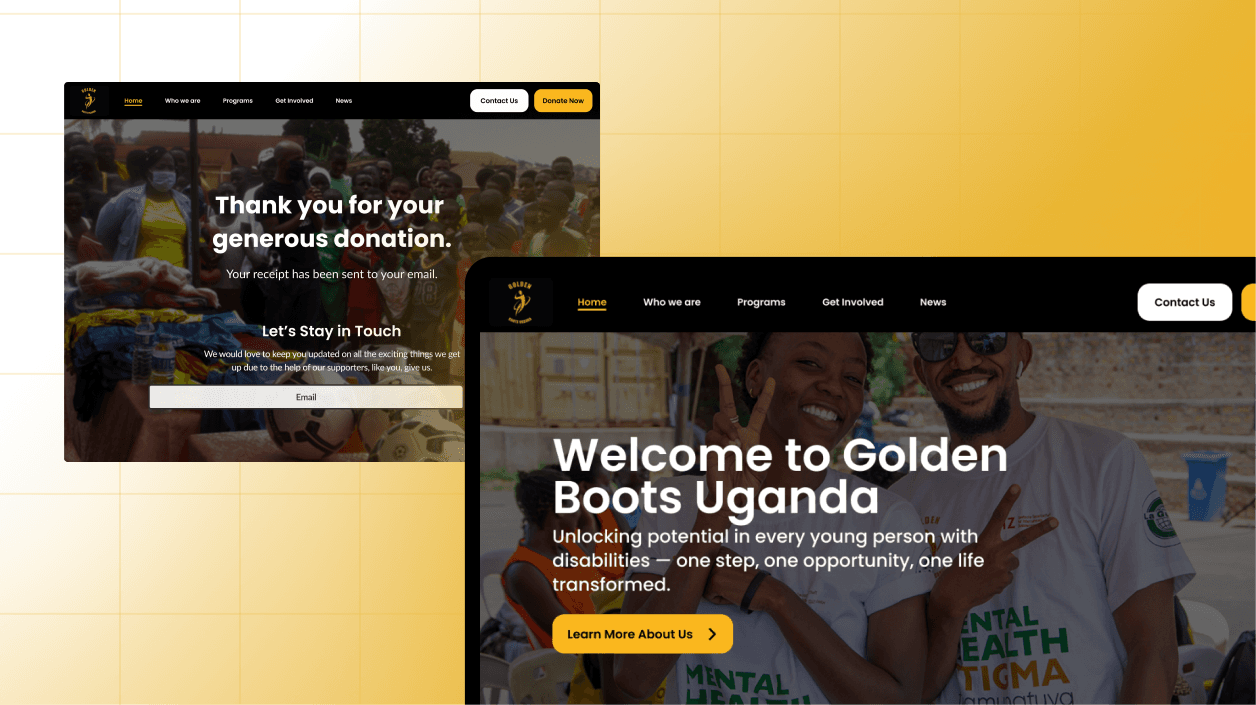
The context
Tl;dr
Golden Boots Uganda (GBU) is a nonprofit organization that empowers youth through various programs focused on inclusion, education, and community health. Their work supports young people- especially those with disabilities, trauma histories, or who face systemic barriers, by building life skills, confidence, and opportunity through soccer and holistic care.
Even though the website plays an important role in connecting members, volunteers, donors, and community partners, it has some issues with efficiency and functionality. The purpose of this collaboration was to evaluate and enhance Golden Boots Uganda’s website to ensure it effectively communicates its mission, engages its audiences, and encourages meaningful action to ultimately improve their online donation experience so that more supporters can give easily, securely, and confidently.
Project Journey
01
PLAN & PREPARE
Kick Off Meeting
Meet the GBU team
Define problems
Research Plan
Create a research plan and check in with client
Align project scope
02
test & Moderate
Conduct Interview
Write interview script
Recruit participants through PrivatePanels & internal network
Conduct Moderated Usability Testing
03
Analyze
Synthesize Findings
Analyze & synthesize data
Find common themes
04
Design
Visualizing Solutions
Lo-Fi Wireframes
High-fi Desktop prototype
04
report & deliver
Report & Presentation
Final reports & presentations
Share and present deliverables to client
The problem
Donations from individuals made up a low percentage of overall contributions
According to Golden Boots Uganda’s 2021 annual report, only 13% of their total income came from individual donors. This small percentage has been dropping quickly since 2022, highlighting the urgent need to redesign the donation process to better support and encourage individual giving.
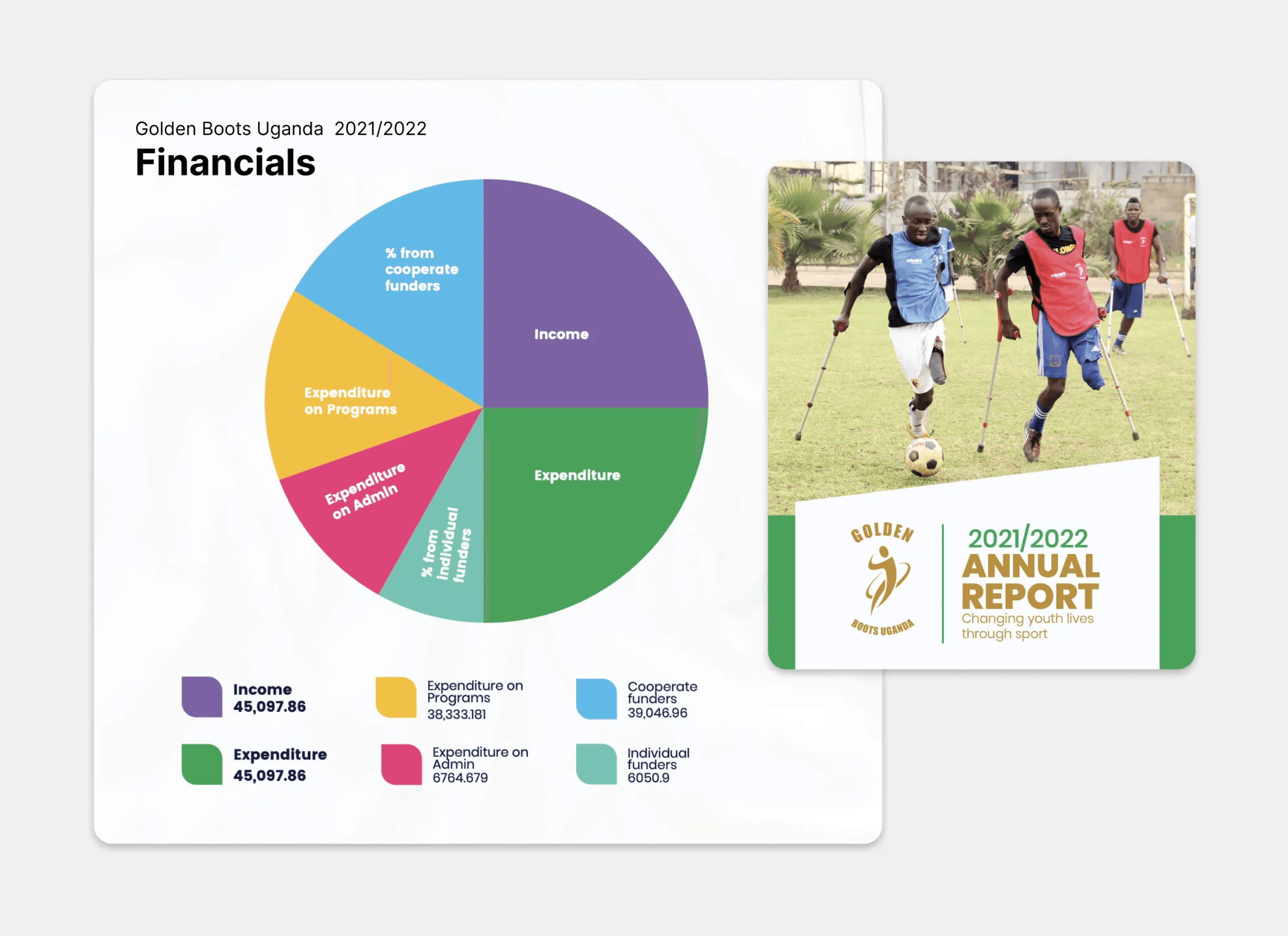
Golden Boots Uganda 2022/2022 Annual Report Financials
The goal
Implementing a strategic approach to improve donation experience and increase contributions
To address the issue, I proposed a 4S framework:
Secure, Streamline Donations:
Embed PayPal or Card Payment for secure, seamless giving
Include clear one-time/recurring options, trust indicators, and confirmation receiptsStronger Emotional Connection:
Integrate real stories and testimonials from program participants throughout the siteSimplify Navigation & IA:
Restructure the “Get Involved” section into clear actions: Donate, Volunteer, ParticipateStandarize Visual Design & Accessibility:
Use only two fonts (Poppins for titles, Lato for body)
Fix contrast issues and standardize text size for better readability
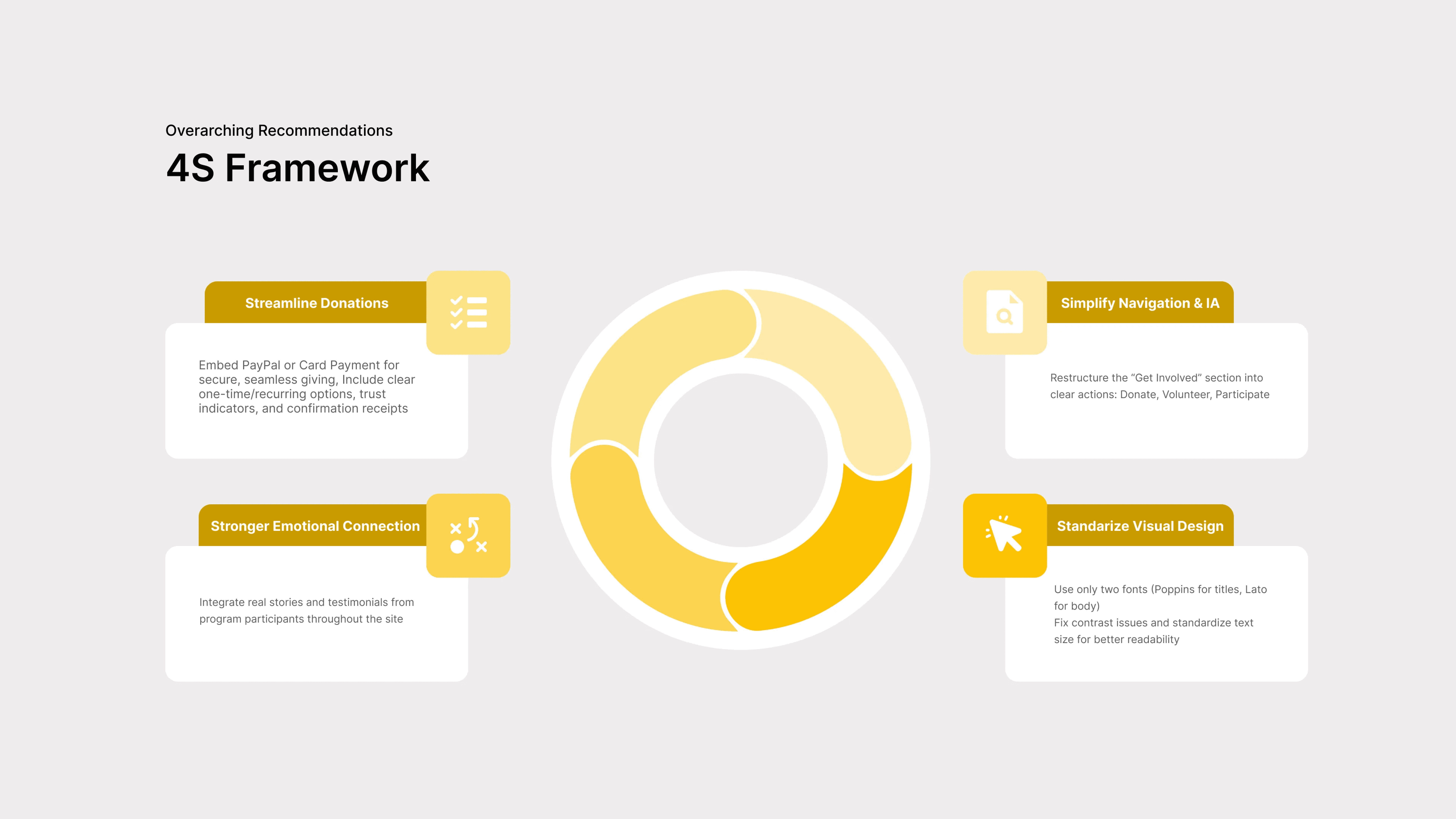
Overarching Recommendations: 4s framework
Once understanding the problem space, I then developed a research plan and task script which help shape the research strategy by focusing on:
• Defining primary user groups: donors, youth participants, and volunteers
• Establishing usability metrics and success criteria
• Framing testing tasks as realistic scenarios
• Task-based testing
The Process
Using Moderated User Testing to evaluate GBU
I then conducted a series of 8 moderated user tests, in which I facilitated various tasks with four major focus areas with selected participants to identify pain points and gather feedback on the current GBU website. Upon establishing a direction and approach, usability research aimed to address the following core objectives:
1
Understand the Organization: What is the mission?
Evaluate how clearly the site explains Golden Boots’ mission, audience, and impact. Can users quickly understand who it helps, how it works, and why it matters?
2
Evaluate Impact & Trustworthiness
How might we instill a sense of trust in the users?
How might we align website content with the organization’s mission?
How might we create an emotional connection during the process?
3
Begin and Complete the Donation Process
Identify usability barriers, assess clarity and efficiency in the donation steps, and find how to best integrate third-party tools like PayPal.
How is the donation process currently set up on the website?
How does a user navigate through the current system?
4
External Website: Donation Process
Help to identify specific usability gaps that may be causing friction or hesitation in GB donation process and guide improvements
The Recruitment Process
Author From Scratch
Create a new project from scratch with three required sections.
Table of Contents (TOC)
Build and modify the TOC by adding pages with content in a specific section.
Drag-and-Drop in TOC and Add Content Reorder pages and add content blocks.
Mixed Task
Navigate to an existing section and rename it to match the scenario prompt.
AI Content Generation
Locate the built-in Generate with AI tool and use it to transform provided text into instructional content.
Session Details
Author From Scratch
Create a new project from scratch with three required sections.
Table of Contents (TOC)
Build and modify the TOC by adding pages with content in a specific section.
Drag-and-Drop in TOC and Add Content Reorder pages and add content blocks.
Mixed Task
Navigate to an existing section and rename it to match the scenario prompt.
AI Content Generation
Locate the built-in Generate with AI tool and use it to transform provided text into instructional content.
After testing, i launched a post-test questionnaire, in which participants reflected on the following:
Confidence in site usability
Their suggestions for improvement
Willingness to donate in the future - contingent on improvement
The Findings
The data showed that trust, clarity, and visual hierarchy prevented users from donating confidently
During user testing, I evaluated whether participants were successful in the four key tasks and collected behavioral and attitudinal data to understand user frustration. There were 5 key findings that emerged from the data:
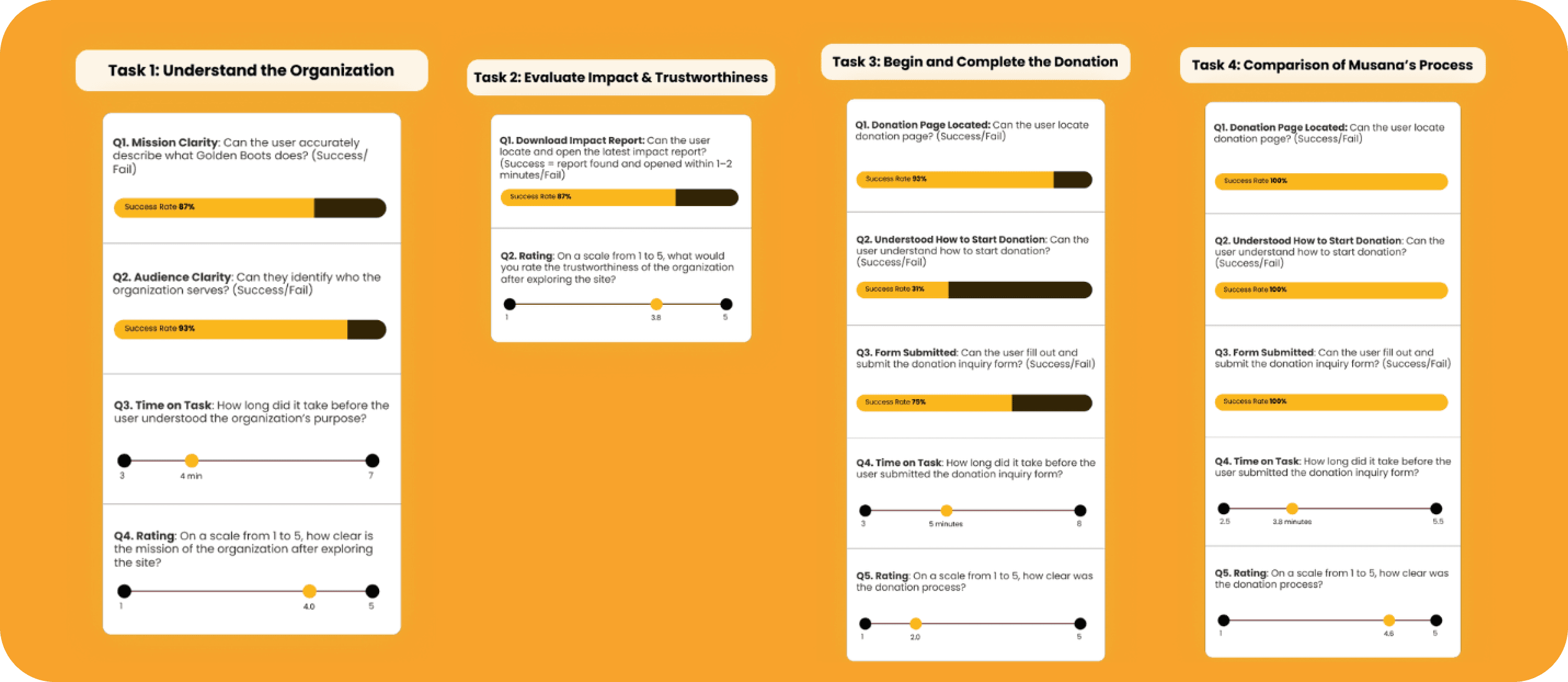
User testing data
1. The Donation Experience Was Broken
Most users could not identify how to donate. They were misdirected to a contact form with no payment field. Trust plummeted.
2. Mission and Program Info Lacked Clarity
Many users couldn’t identify who the organization served—especially youth with disabilities. The mission was often buried or text-heavy.
3. Impact Stories and Financials Were Hidden
Although users praised the presence of impact reports, the need to download outdated PDFs and a lack of infographics weakened trust.
4. Poor Visual Hierarchy & Layout Confusion
Text was too small, the layout was cluttered, and the donation CTA competed with newsletter popups and carousels.
5. Musana Set the Standard
In comparison, users praised Musana's (competitor's website) donation flow for its embedded payment options, clarity, and expected visual cues like EINs and receipts.
This lack of clarity, trust, and reassurance made users feel unsure and caused the organization to miss chances to turn visitors into supporters.
Design Recommendations
Designs backed by Research
Supported by research and findings, the final prototype illustrates the improvements, redesigns, and before and after comparisons.
Recommendation 1. Understand the organization
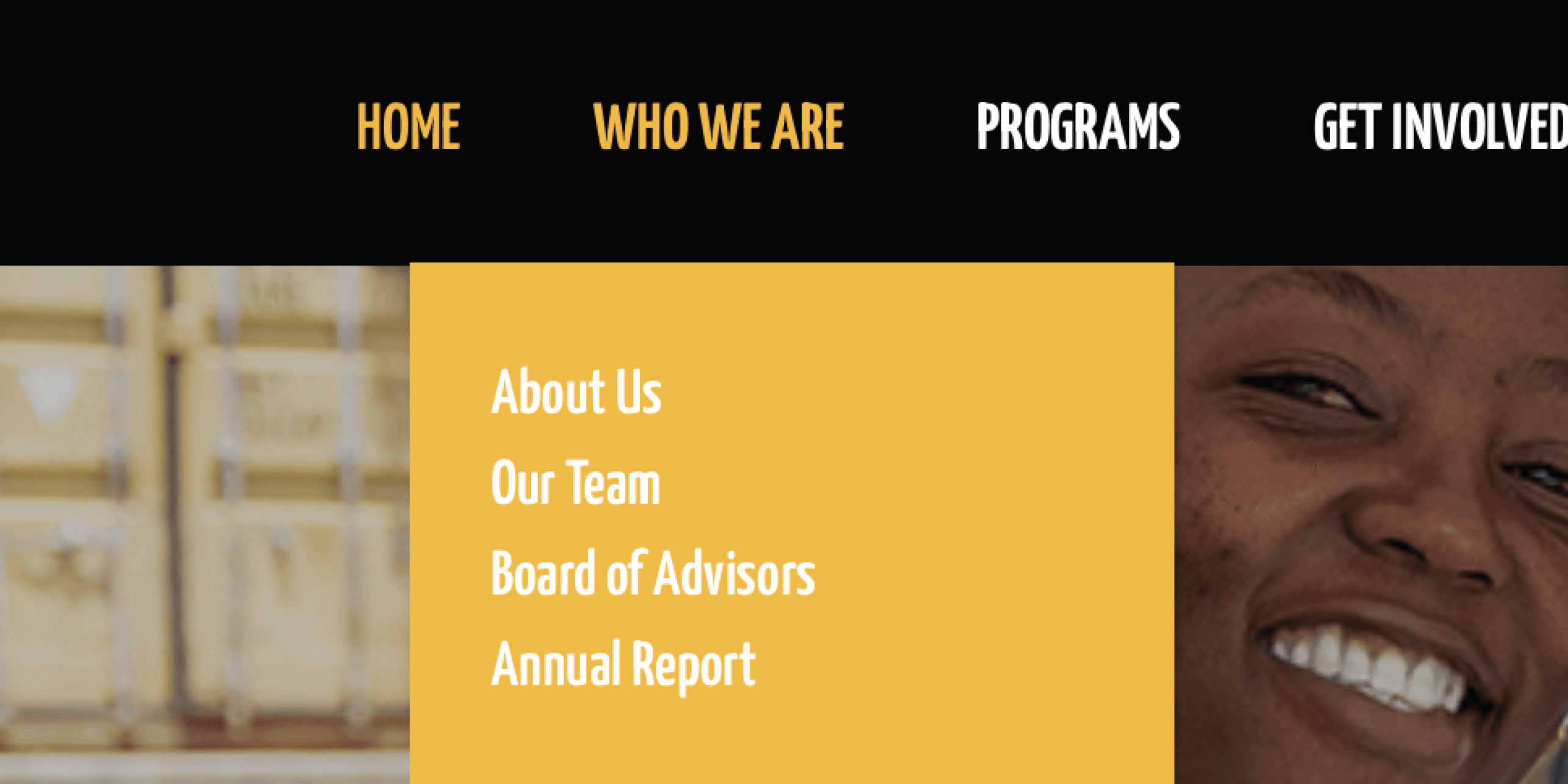
1.1 Information Architecture
The data exposed users struggling to complete certain tasks and spending longer navigating the website compared to the competitor website.
To address this, I updated the site's information architecture to create a more intuitive navigation system and introduced a more seamless system for user involvement by clearly distinguishing between donating, volunteering, and participating.
*click images for closer view*
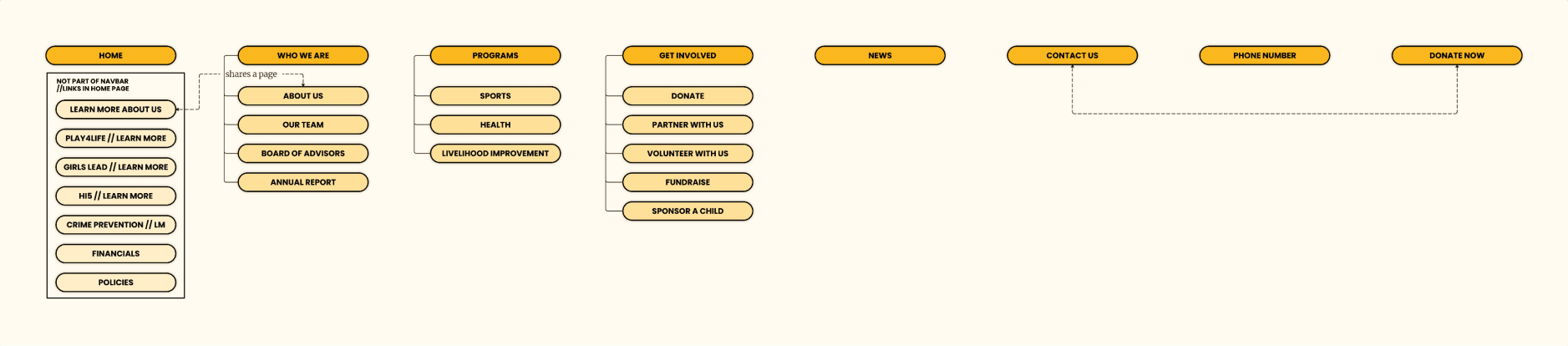
Gb's original information architecture (Get Involved)
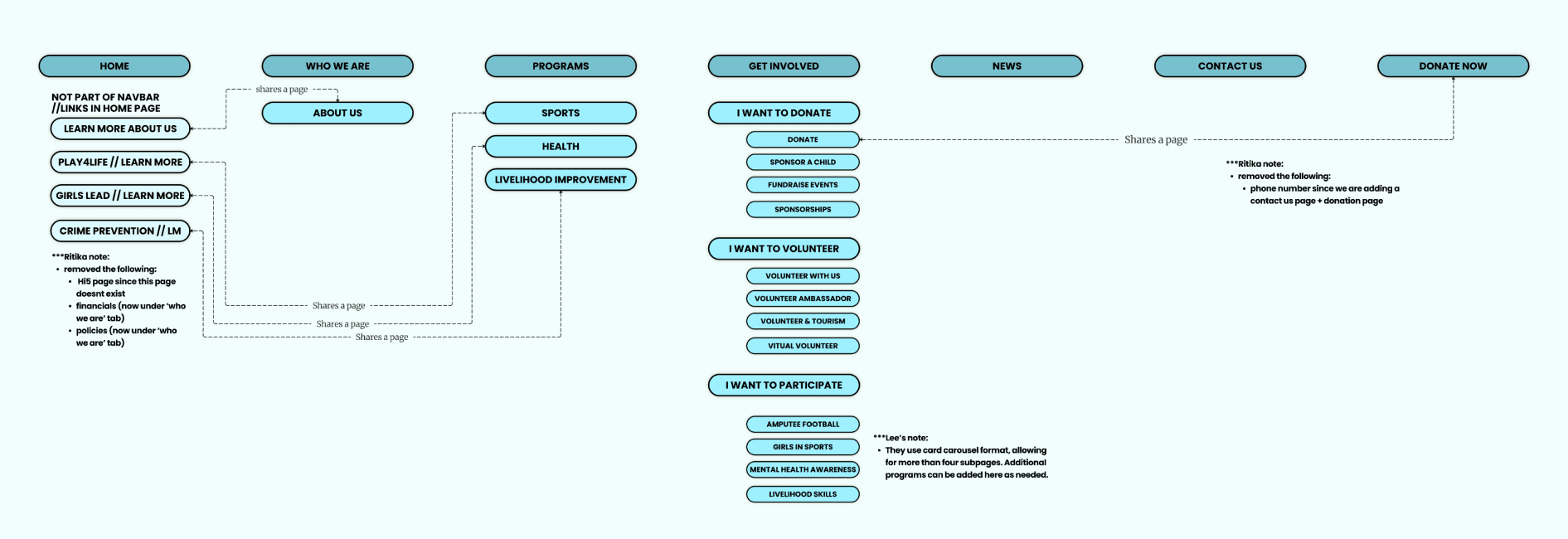
Gb's updated sitemap
1.2 Home Page Redesign & Mission Statement Messaging
GoBU's home page was suffering from a mismatch between visuals and messaging. Further, the slow transitions, small text size, and less information hierarchy make it difficult for users to quickly grasp Golden Boots Uganda’s mission.
These insights lead to redesigning the homepage for clearer communication.
Before
After
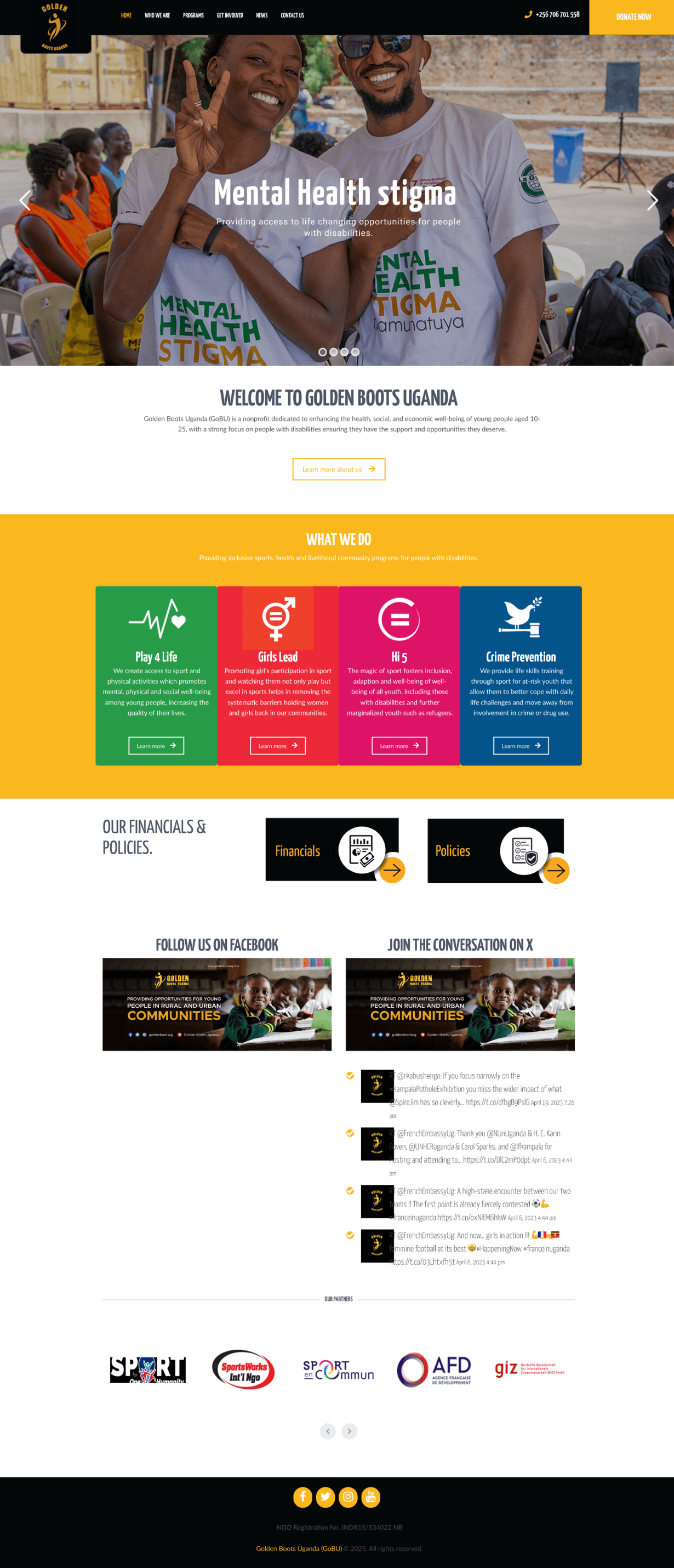
hero section rotates through four images but only includes two mission statements, creating a mismatch between visuals and messaging.
Home Page Redesign
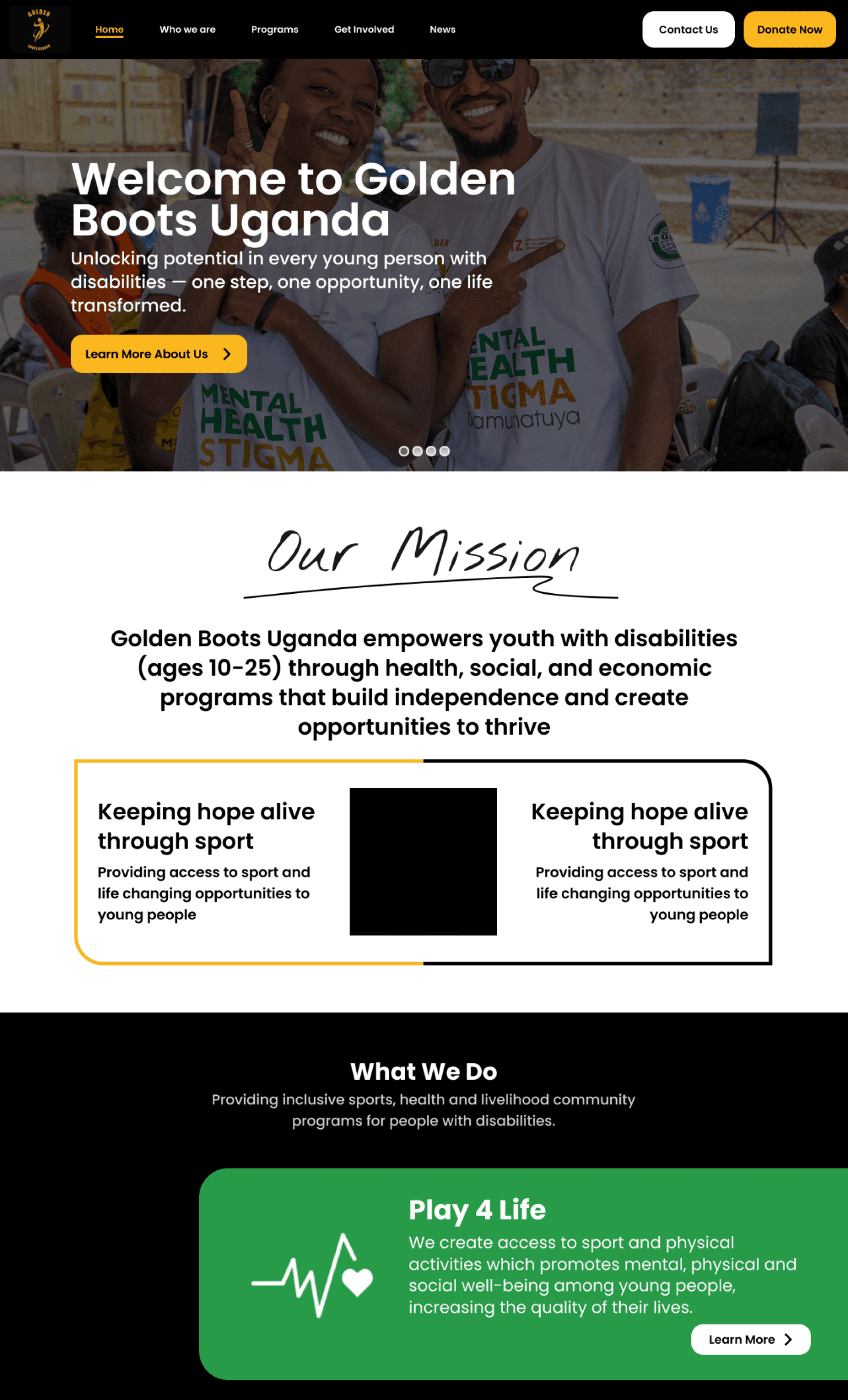
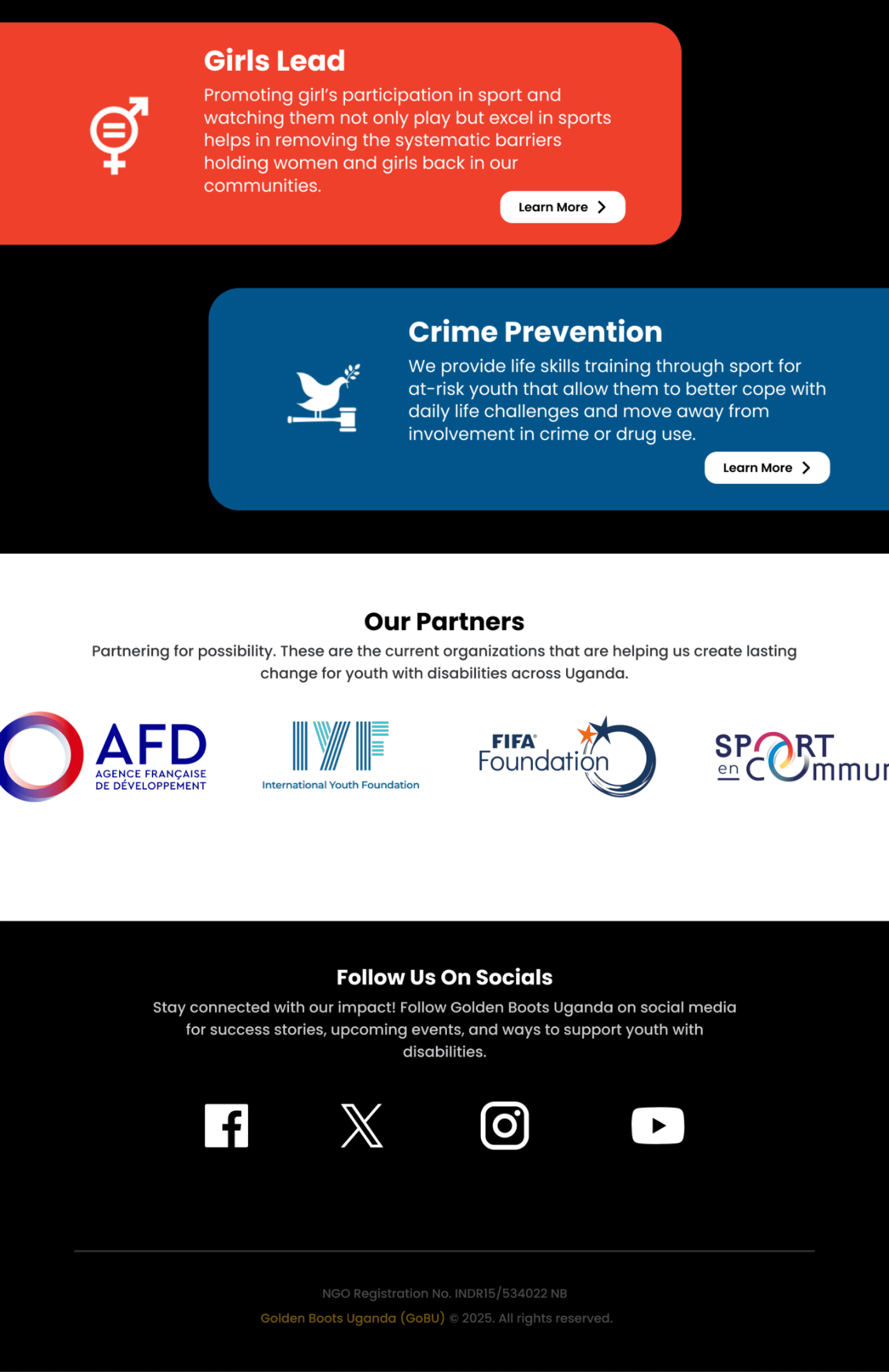
Made the mission statement larger and fixed below the hero image for visibility
Updated homepage carousel visuals and structure to reflect full mission scope
Standardized typography using Poppins (titles) and Lato (body) to enhance readability
1.3 About Us Page
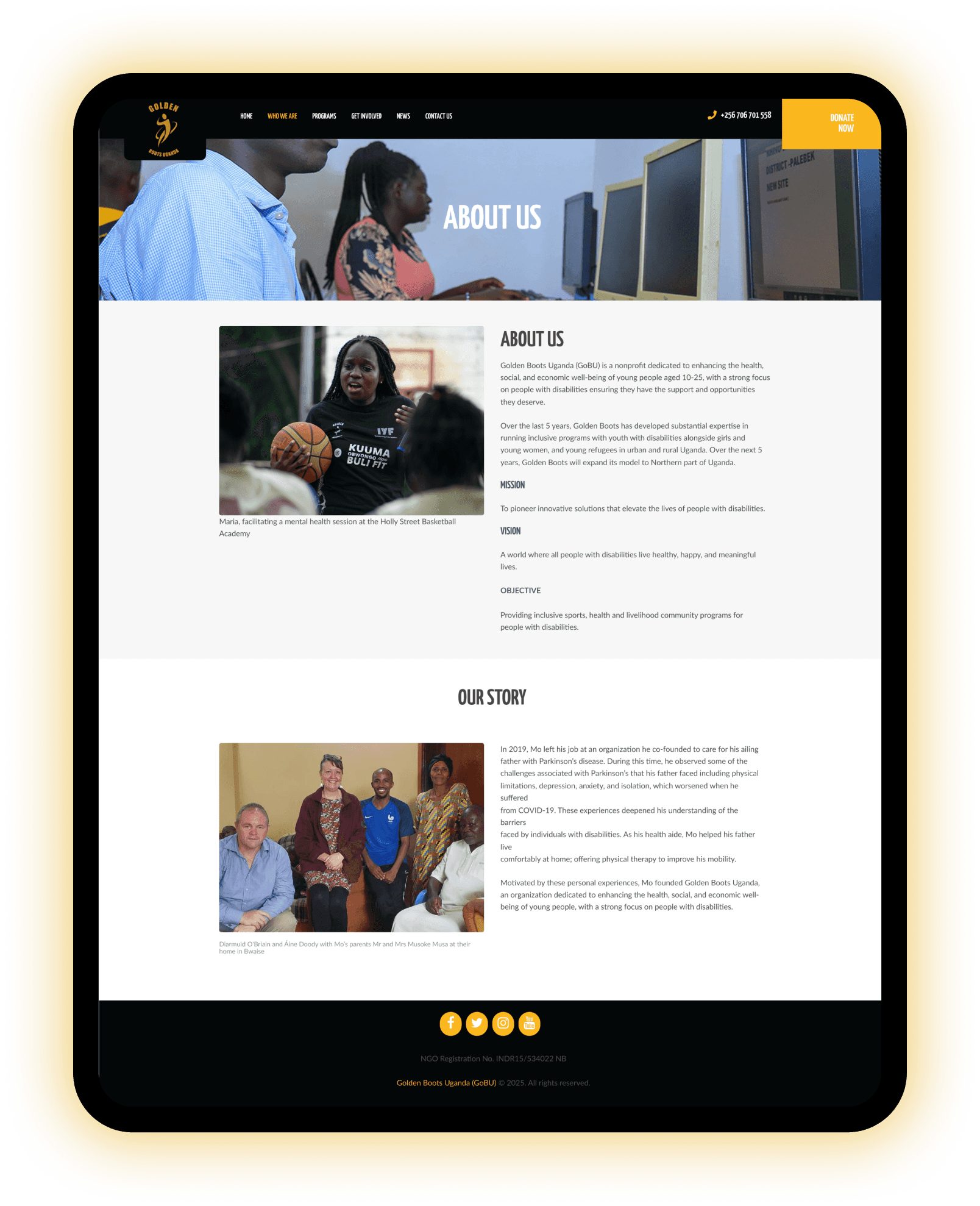
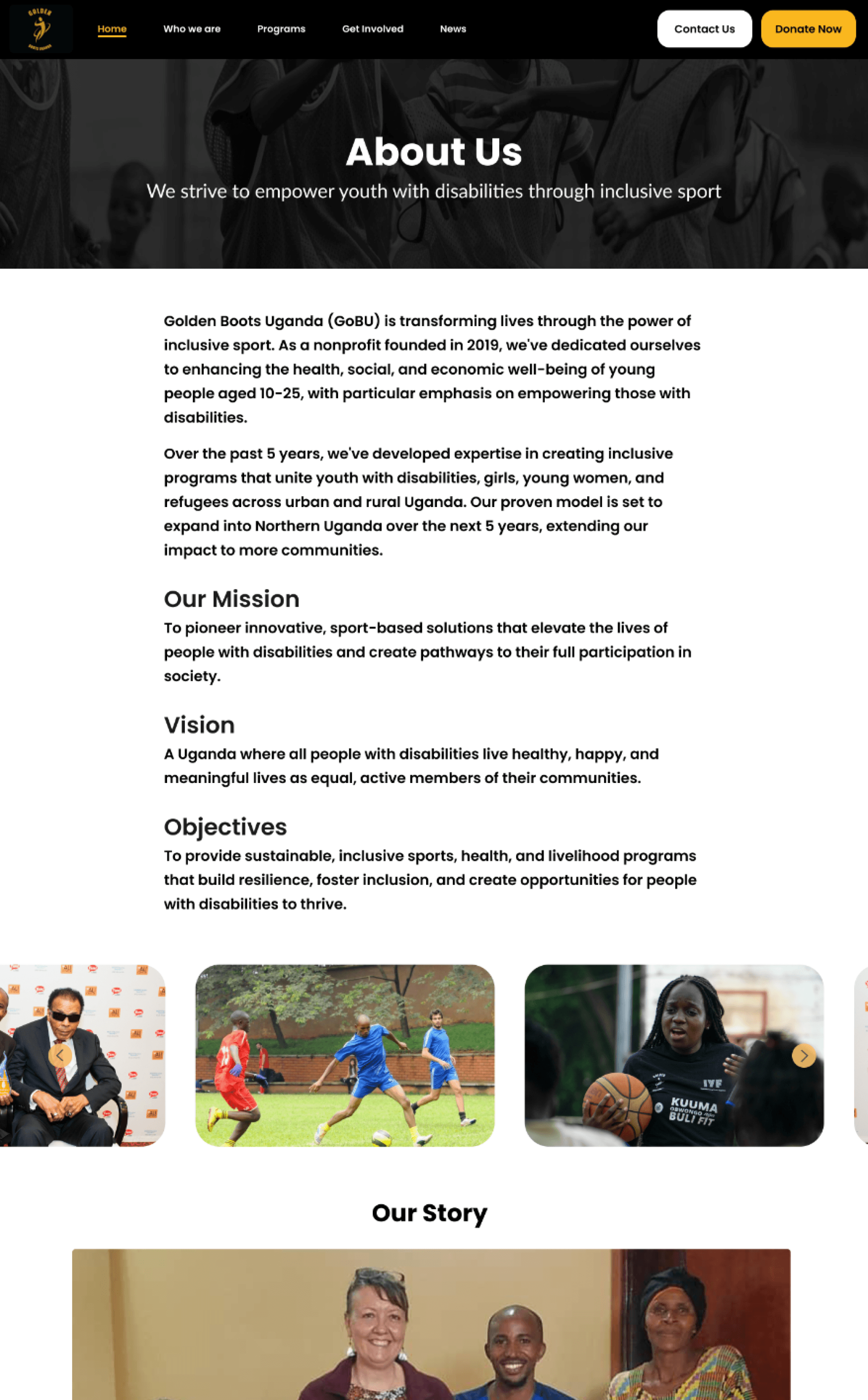
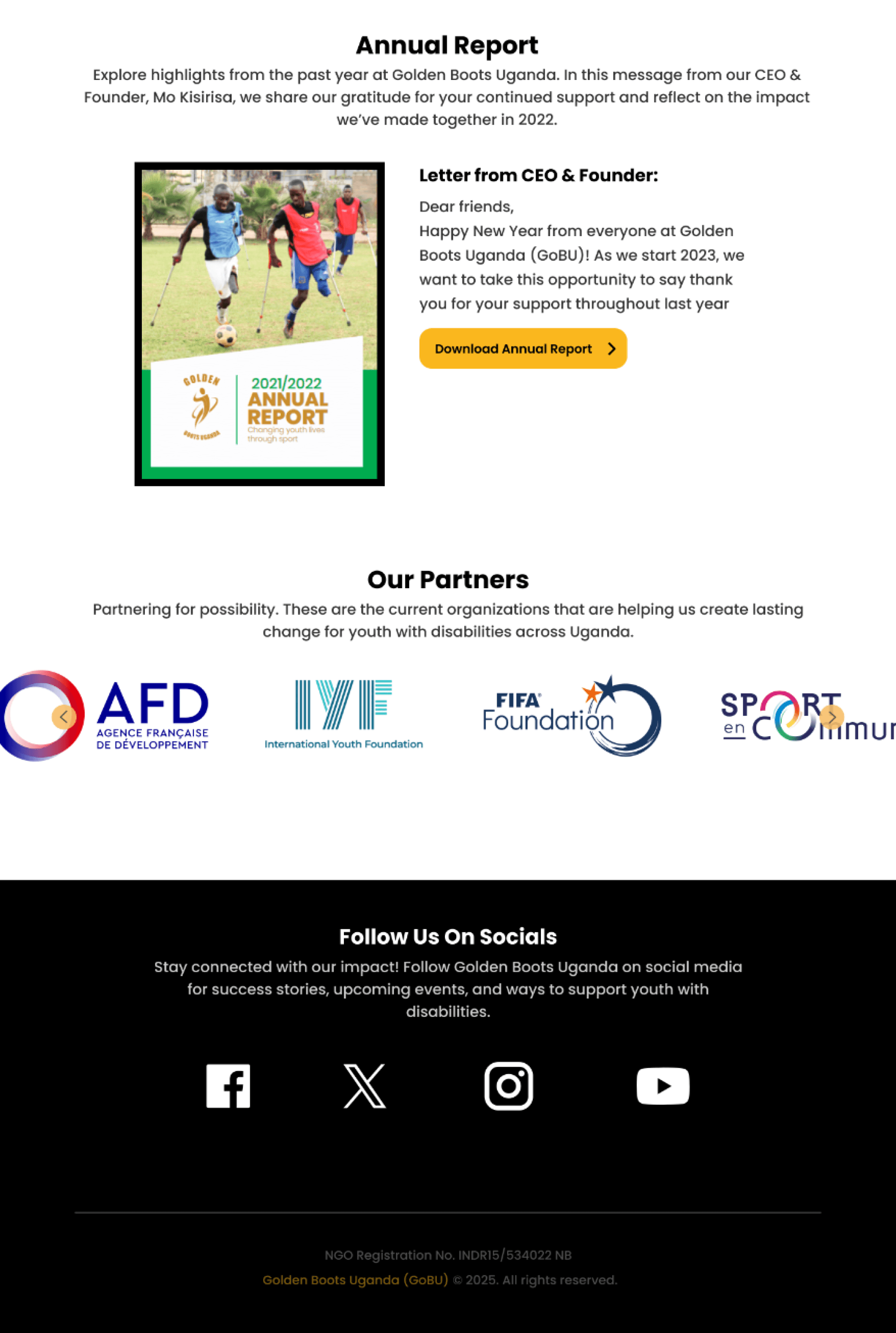
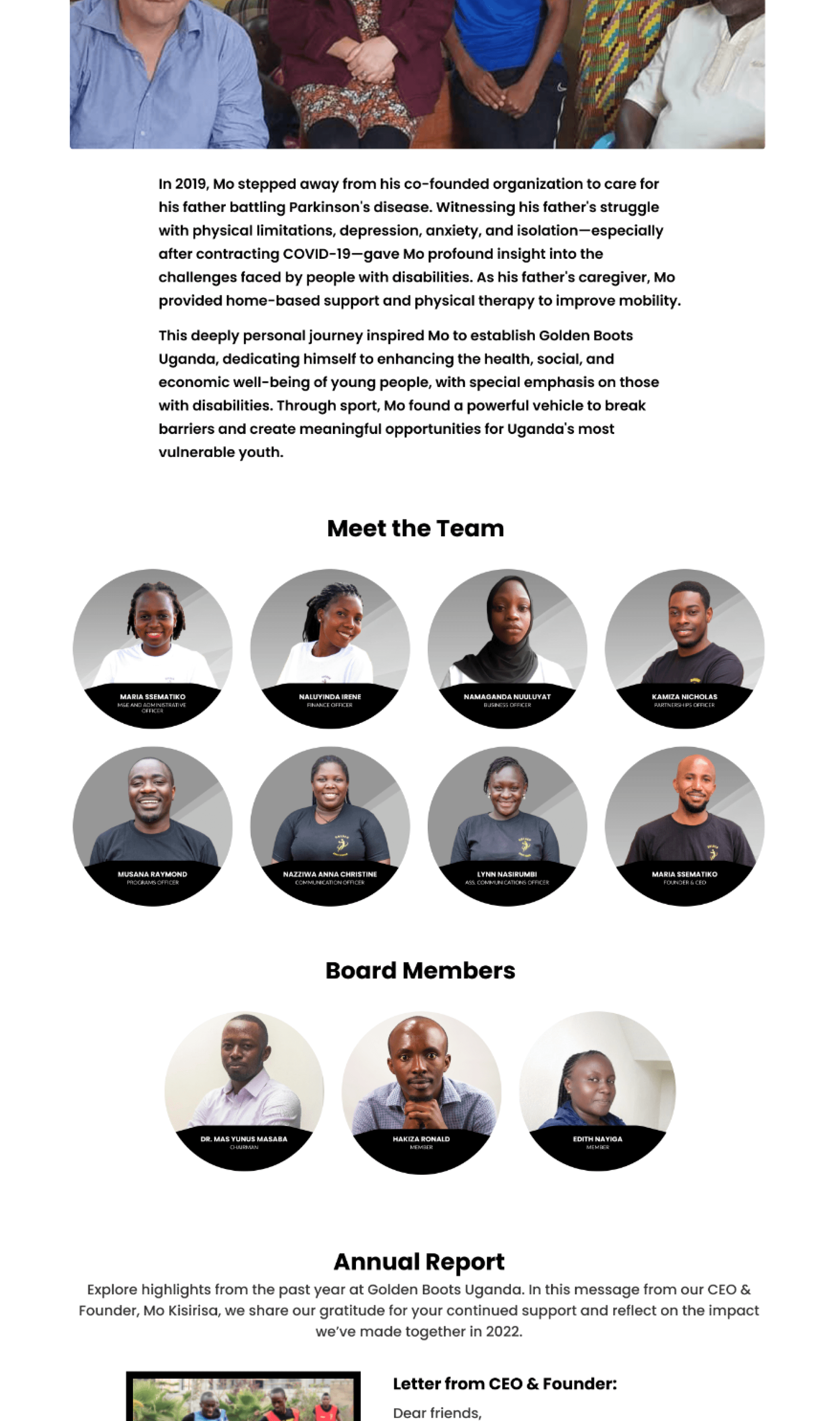
Users consistently struggled to understand who runs Golden Boots Uganda, despite actively seeking this information.
When exploring the "About Us" page, participants encountered a significant transparency gap regarding leadership and organizational structure.
Multiple users explicitly commented they "felt the website did a good job showing what they do, but lacked information on who is behind the work." This missing context created uncertainty about organizational legitimacy and accountability.
The redesign centralizes all critical organizational information - mission statements, origin story, leadership team profiles, board member details, partnership descriptions, and impact reports - into a single, well-structured hub that users can easily navigate.
Recommendation 2. Improve Impact & Trustworthiness
2.1 Make Recent Impact Data Accessible
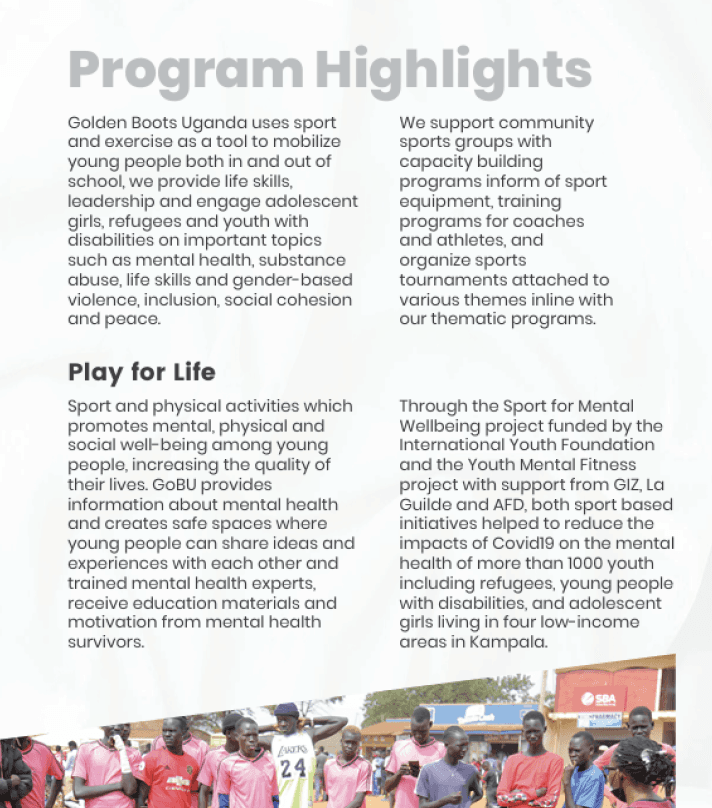
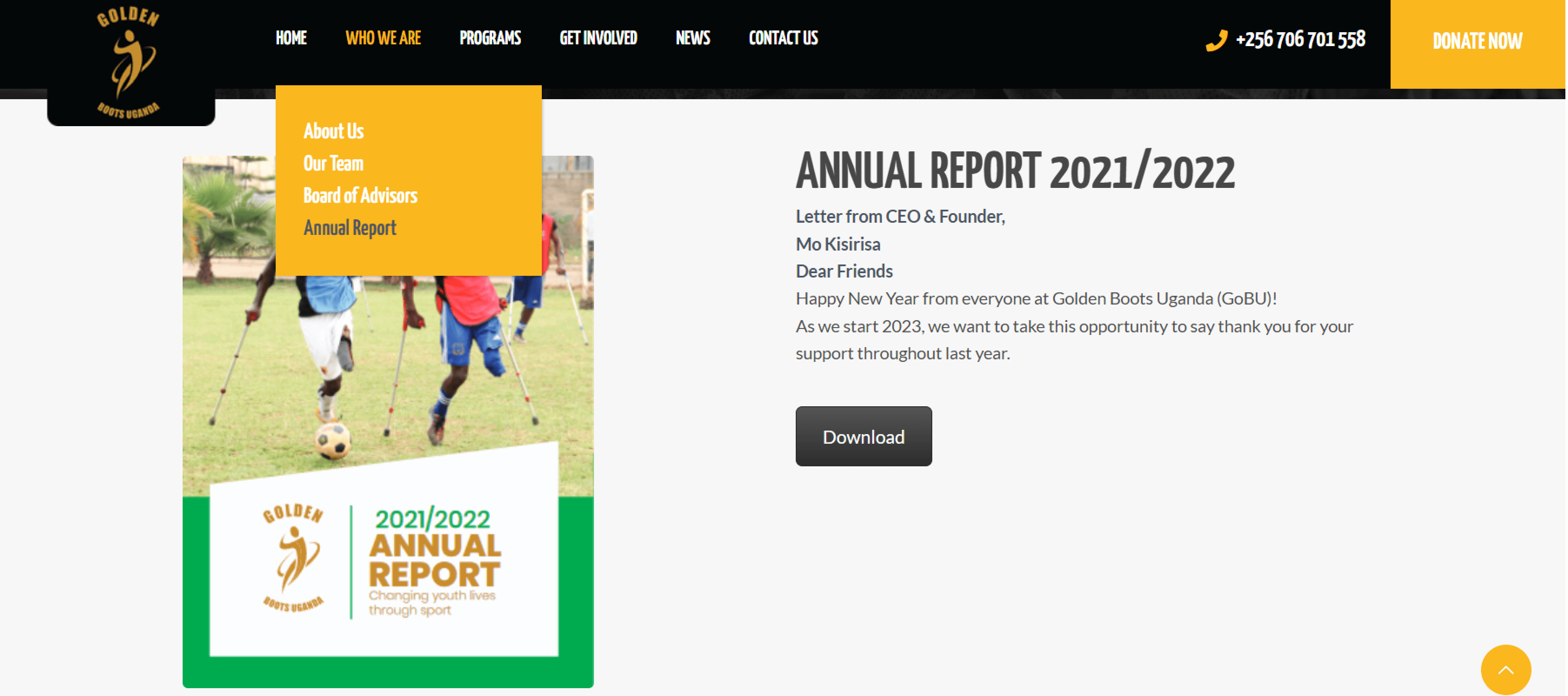
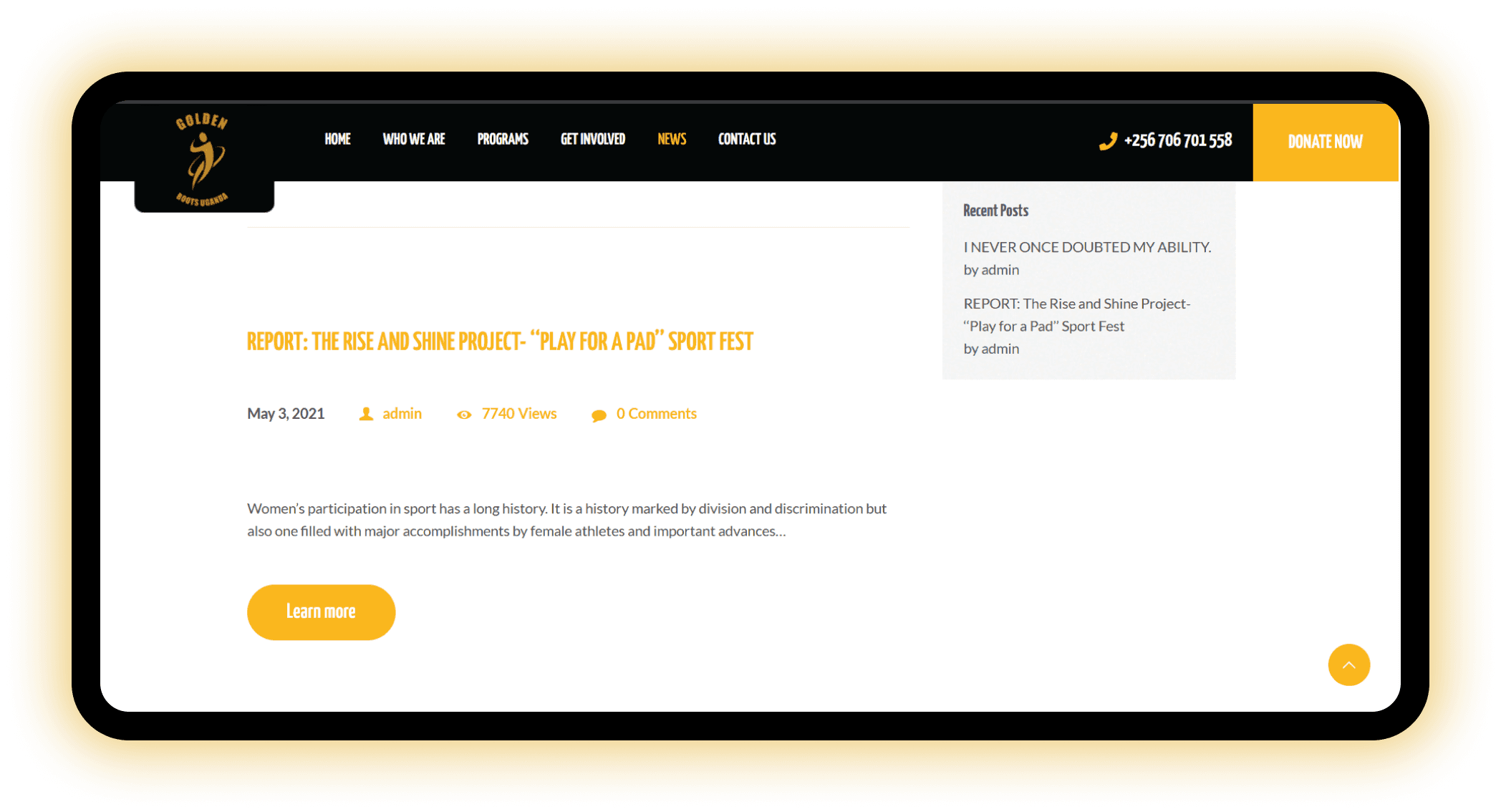
GBU's Original Program Highlights & Annual Report
Participants reported difficulty finding updated and accessible impact information, which was buried in overly text-heavy PDF’s.
This caused in increase in task completion time and made it hard for website visitors to understand the organization’s efforts.
Many users also noted a lack of emotional connection on the site.
Without proof of impact from the people the organization serves, visitors on the website may not make a direct connection of the work that goes into Golden Boots Uganda.
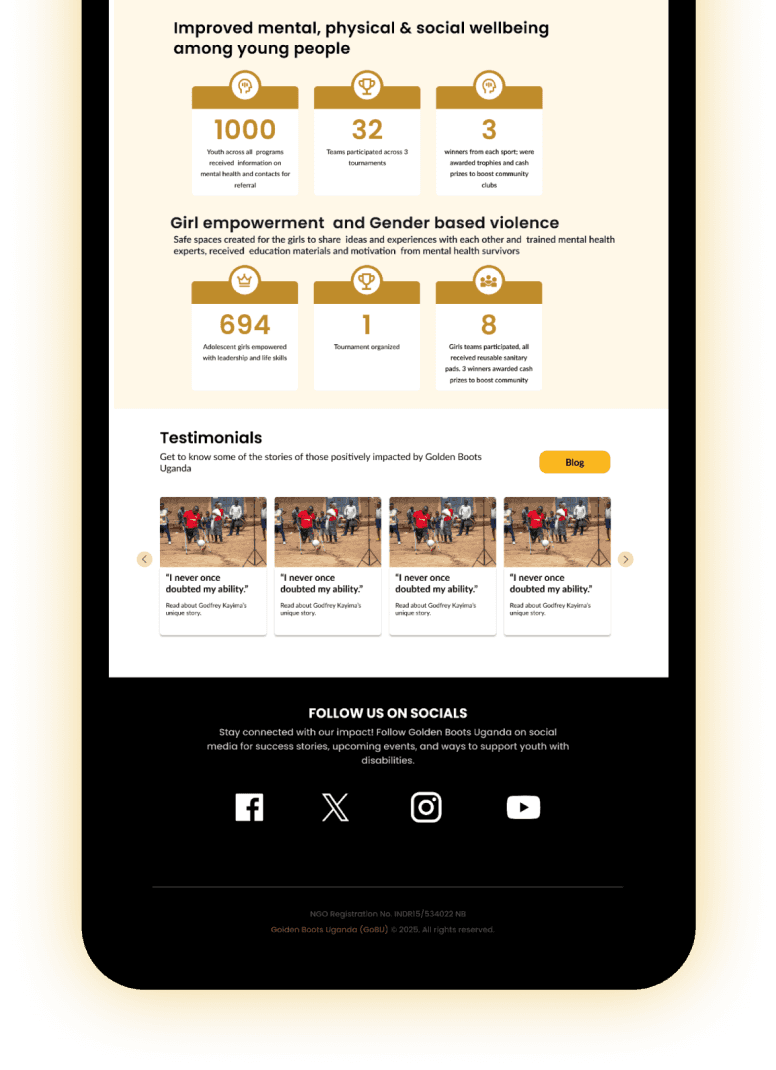
Impact data was made to be a prominent and accessible part of the site.
Made communication impactful by using visuals such as infographics to highlight accomplishments.
By integrating real-life stories and testimonials throughout the site and having them located within the program pages and under the impact visuals, users visiting the website are met with proof of the possibilities of their donations.
Impact Page Redesign
2.2 Make Programs Understandable and Engaging
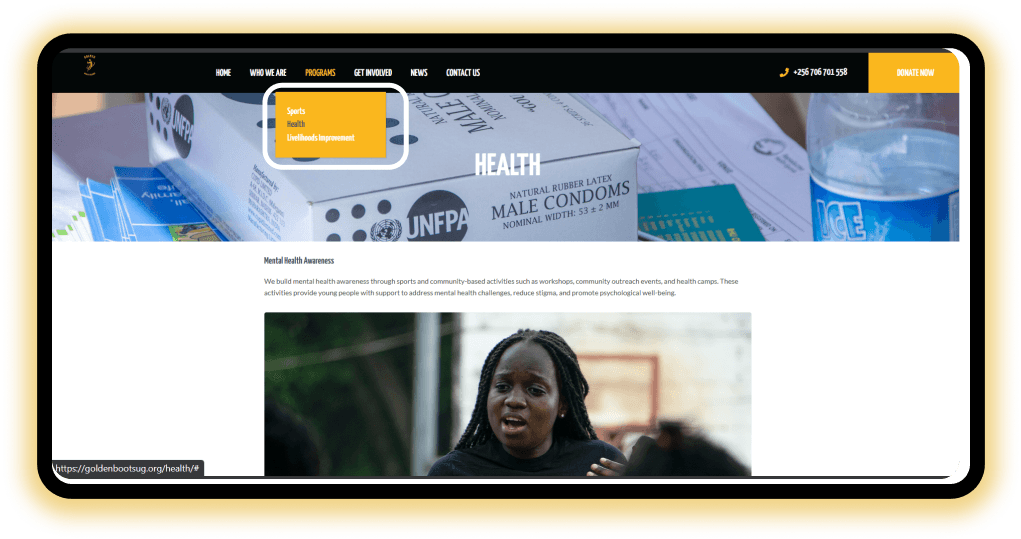
GoBU's Orginal Program Tab
Users struggled to understand the differences between the organization’s programs due to vague or disorganized content on different pages, making mission impact easily lost.
I addressed this by creating clearer, more distinct sections for each program.
Each section includes a focused description, supported by visuals that highlights the beneficiaries and the real-world impact.
These revisions make the content easier to scan, more emotionally engaging, and help users understand how each program contributes to the overall mission.
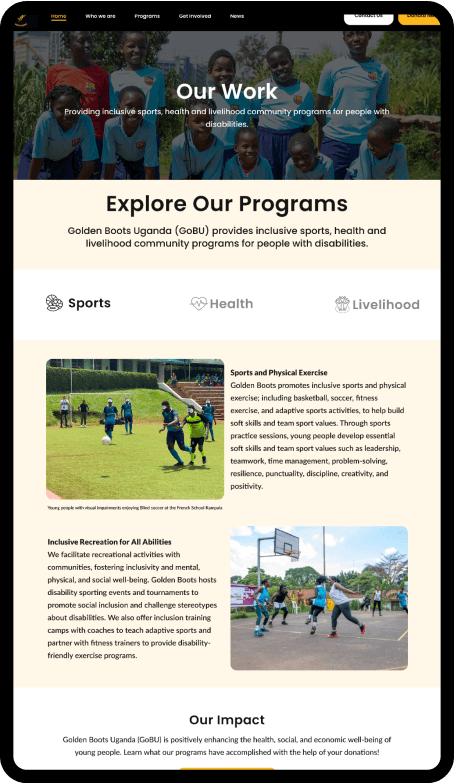
GoBU's updated program page
2.3 Restructure Information Architecture for "Get Involved"
The “Get Involved” page currently targets only donors, with no information for potential participants or community members.
I recommended restructuring the website into three clear sections:
“I want to donate,”
“I want to volunteer,”
“I want to participate.”
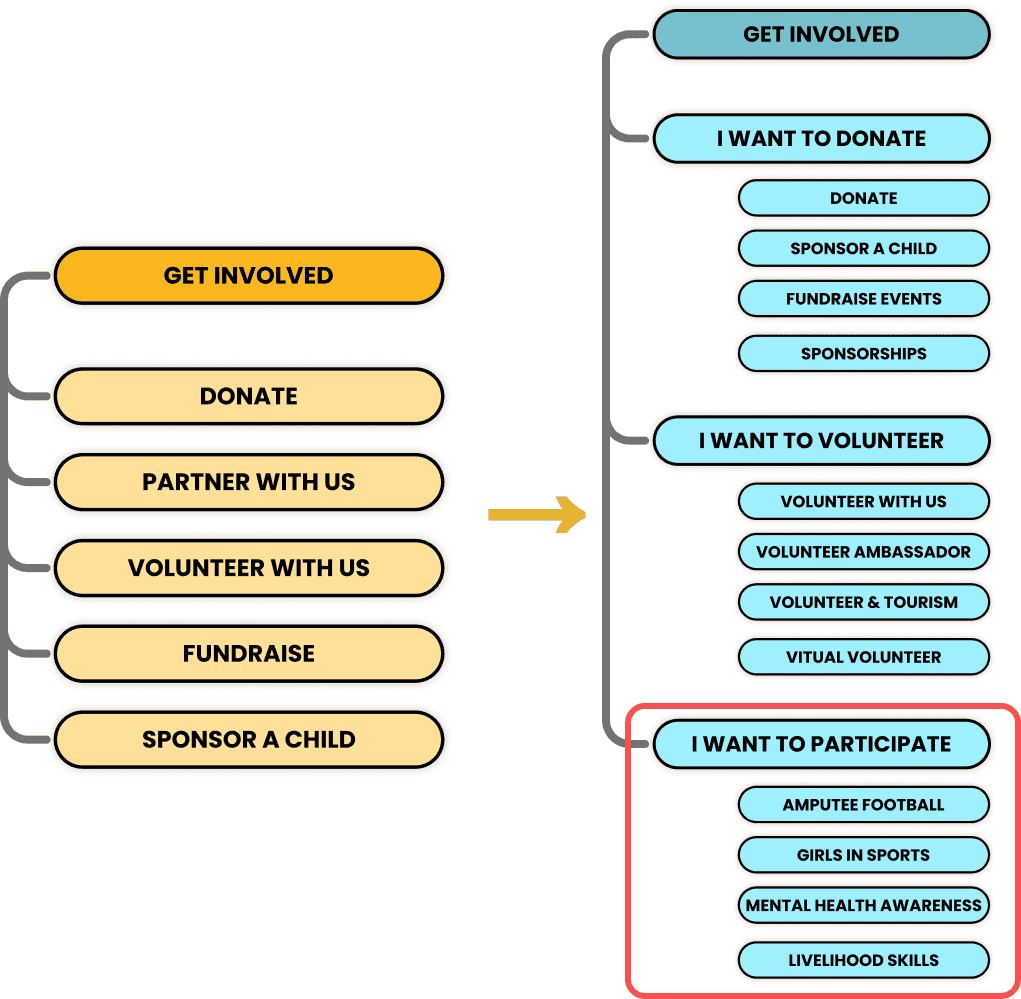
Gb's original information architecture (Get Involved) and updated sitemap
Before
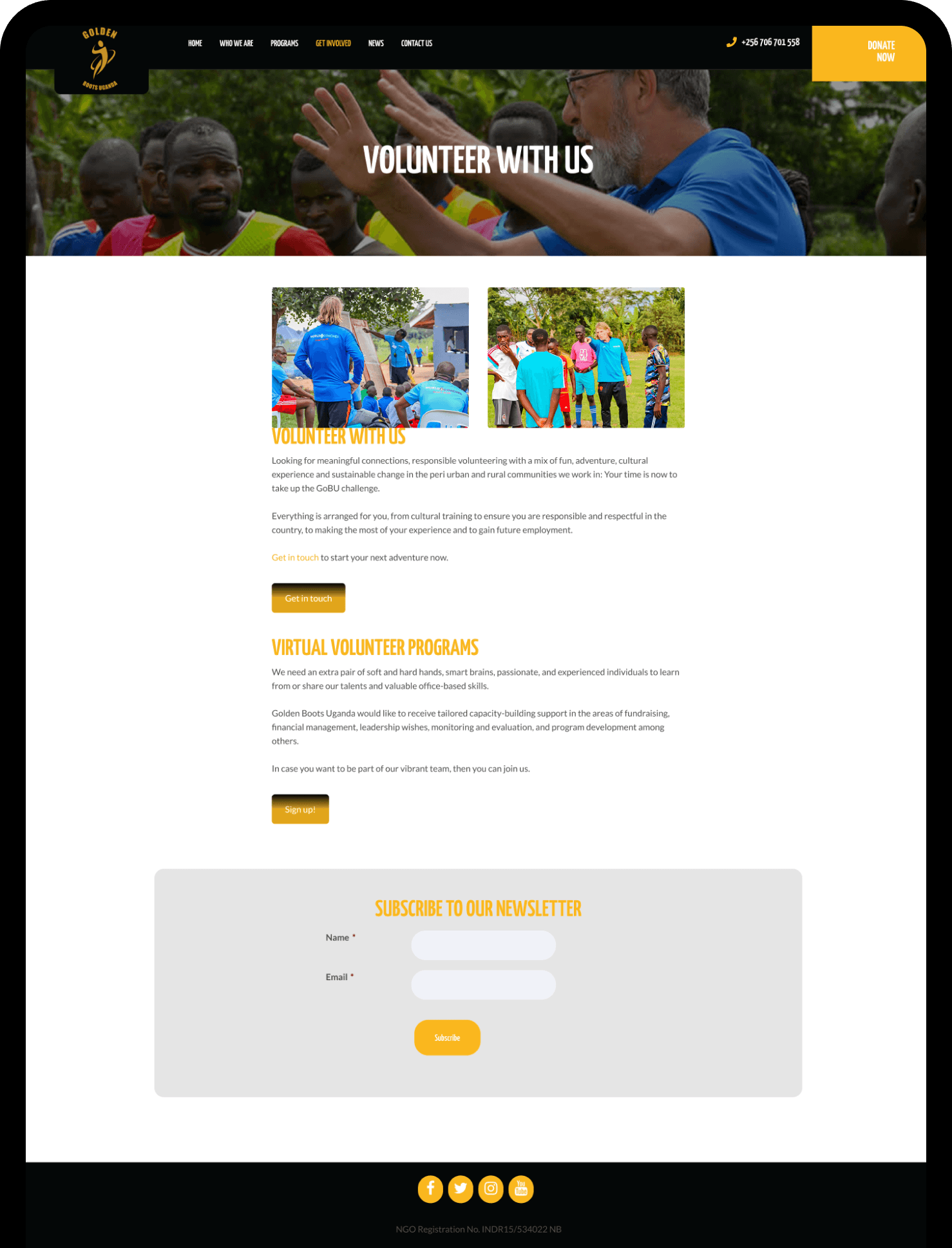
after
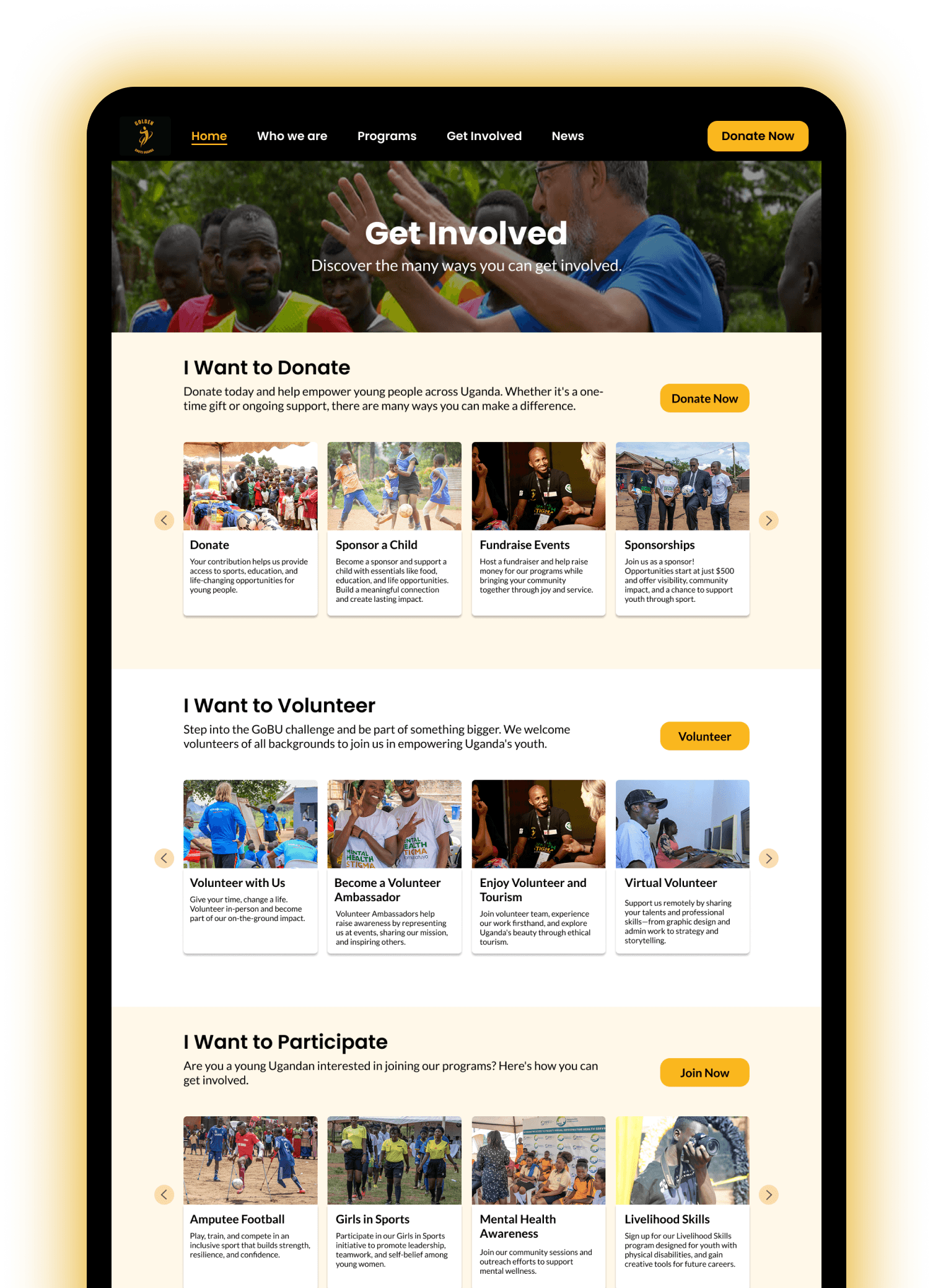
The redesign uses a carousel format, allowing for more than four subpages. Additional programs can be added as needed.
Recommendation 4. Addressing System Gaps to Increase Donations
Among all the areas tested, the donation process surfaced the greatest concerns and barriers to action:
No embedded payment fields
Unclear donation amounts (no currency or explanation)
No option to choose one-time vs. recurring donations
Missing trust signals (ID’s, financials, secure checkout message)
After submission, there’s no confirmation page, no receipt, and no thank-you
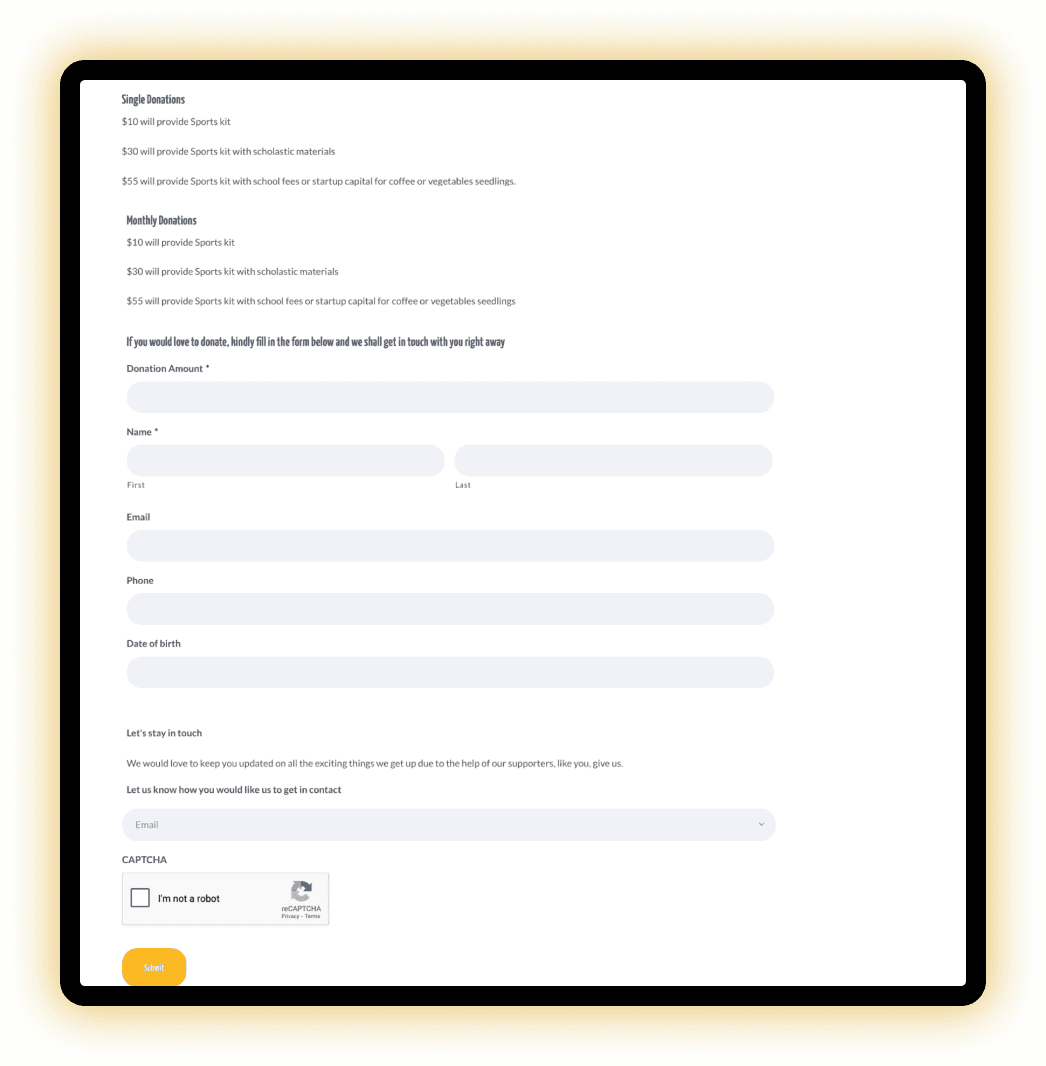
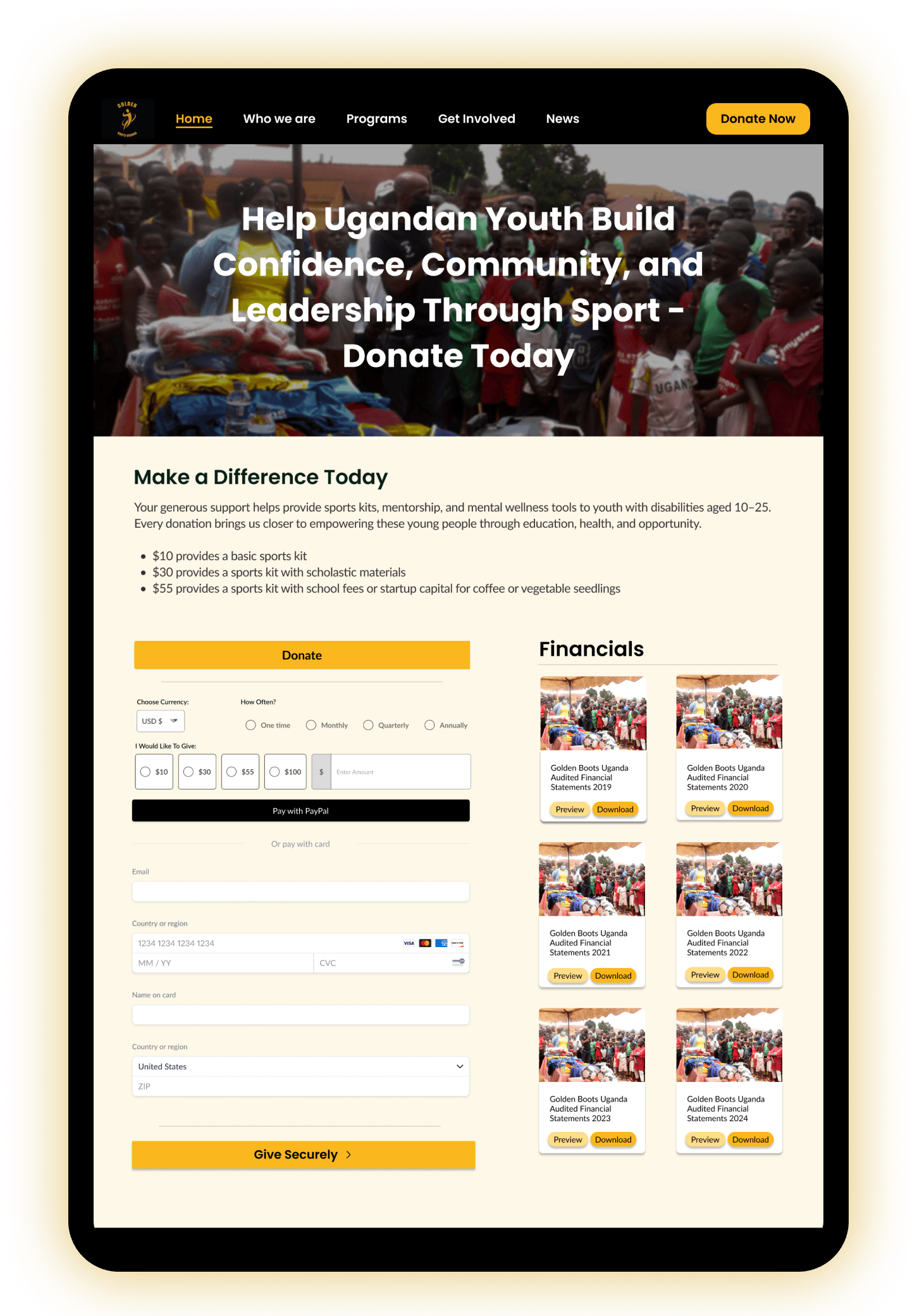
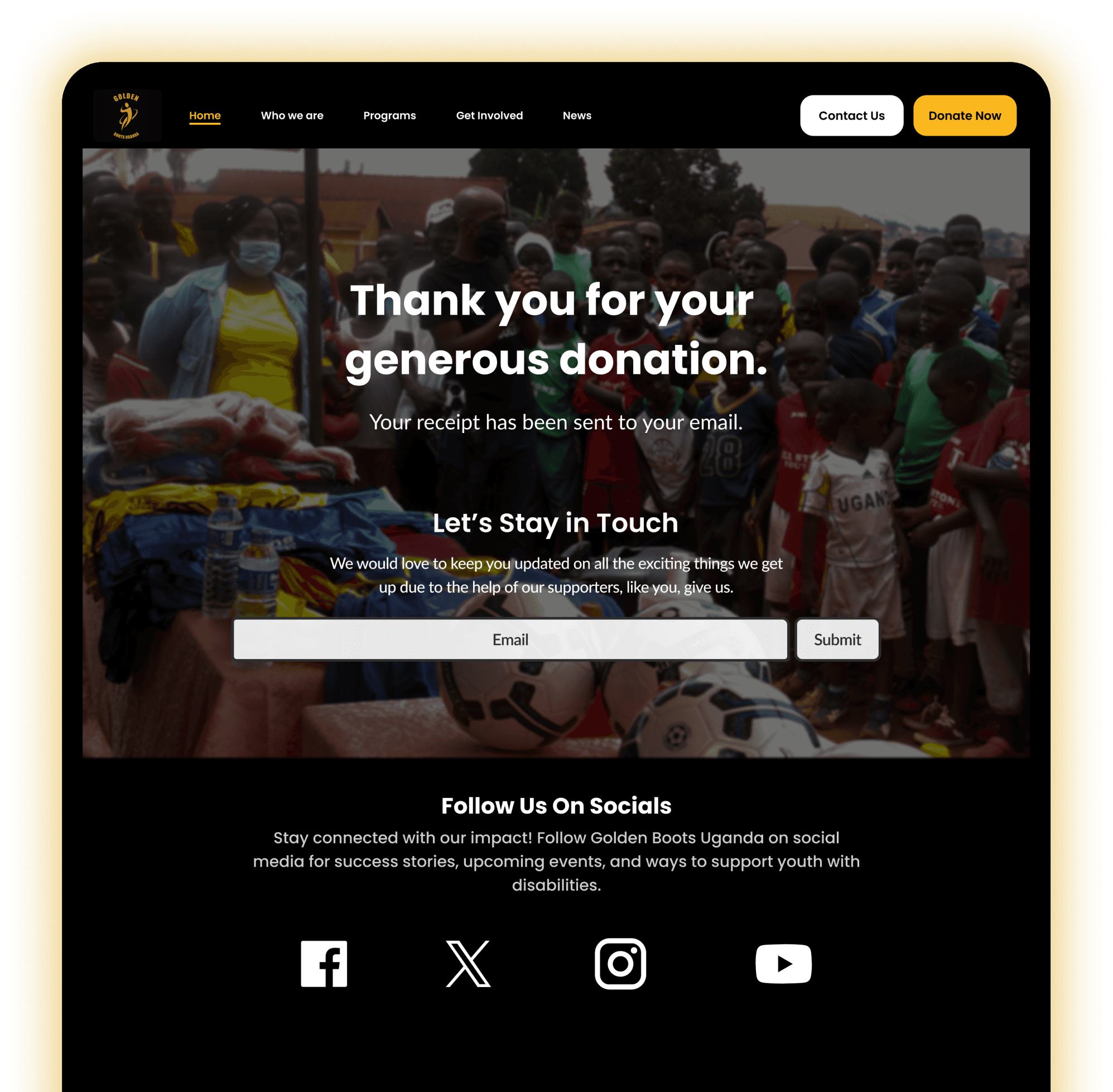
The following updates were made to address the findings:
Created a unified donation page linked from all “Donate” CTAs, supported by a persistent header button
Streamlined the layout by removing redundant fields to improve clarity and ease of use
Embedded a secure payment processor (e.g., PayPal or Stripe) for seamless, on-site transactions
Designed flexible giving options with editable amounts, clear currency labeling, and a one-time vs. recurring toggle
Reinforced trust by displaying EIN, financial reports, SSL security indicators, and trusted donation badges
Implemented a post-donation experience with a confirmation screen, thank-you message, follow-up options, email receipt, and newsletter opt-in
Style guide
A peak into the foundations
Inconsistent font usage was standardized to improve readability and selected to align with GoBU's playful identity.
Hover over card to view more
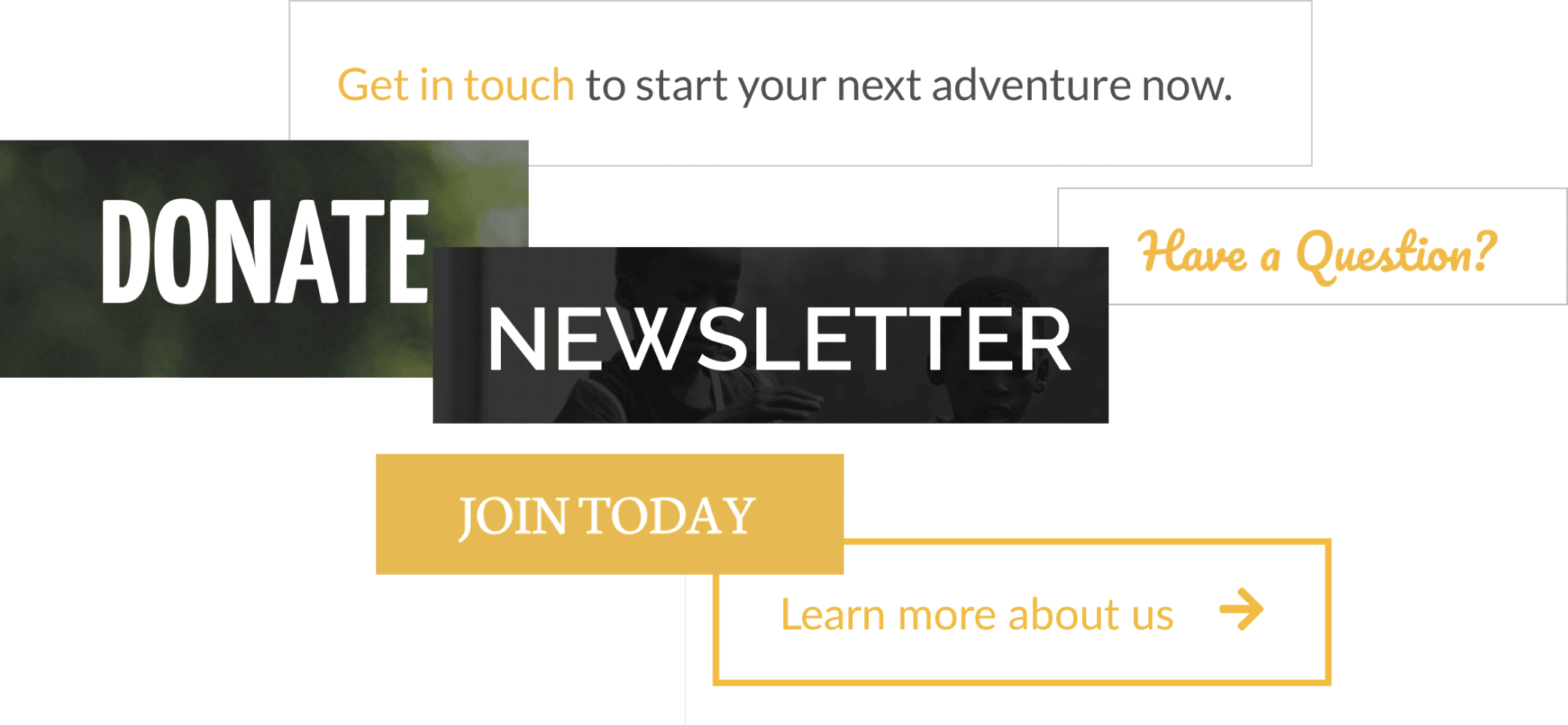
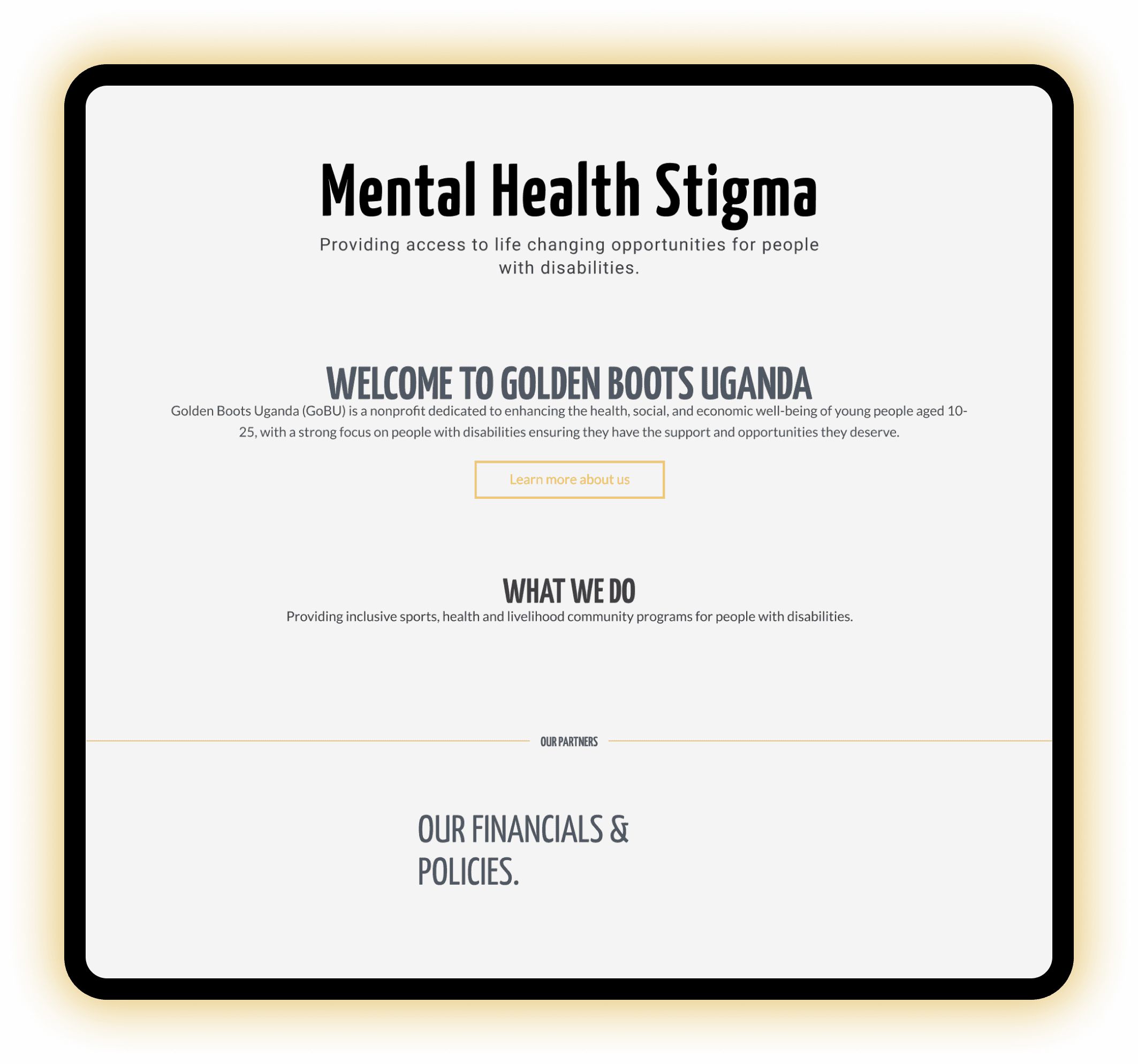
GoBU's original site had a Color accessibility issue: White text on yellow backgrounds fails WCAG 2.2 color contrast standards, making content unreadable for users with color blindness.
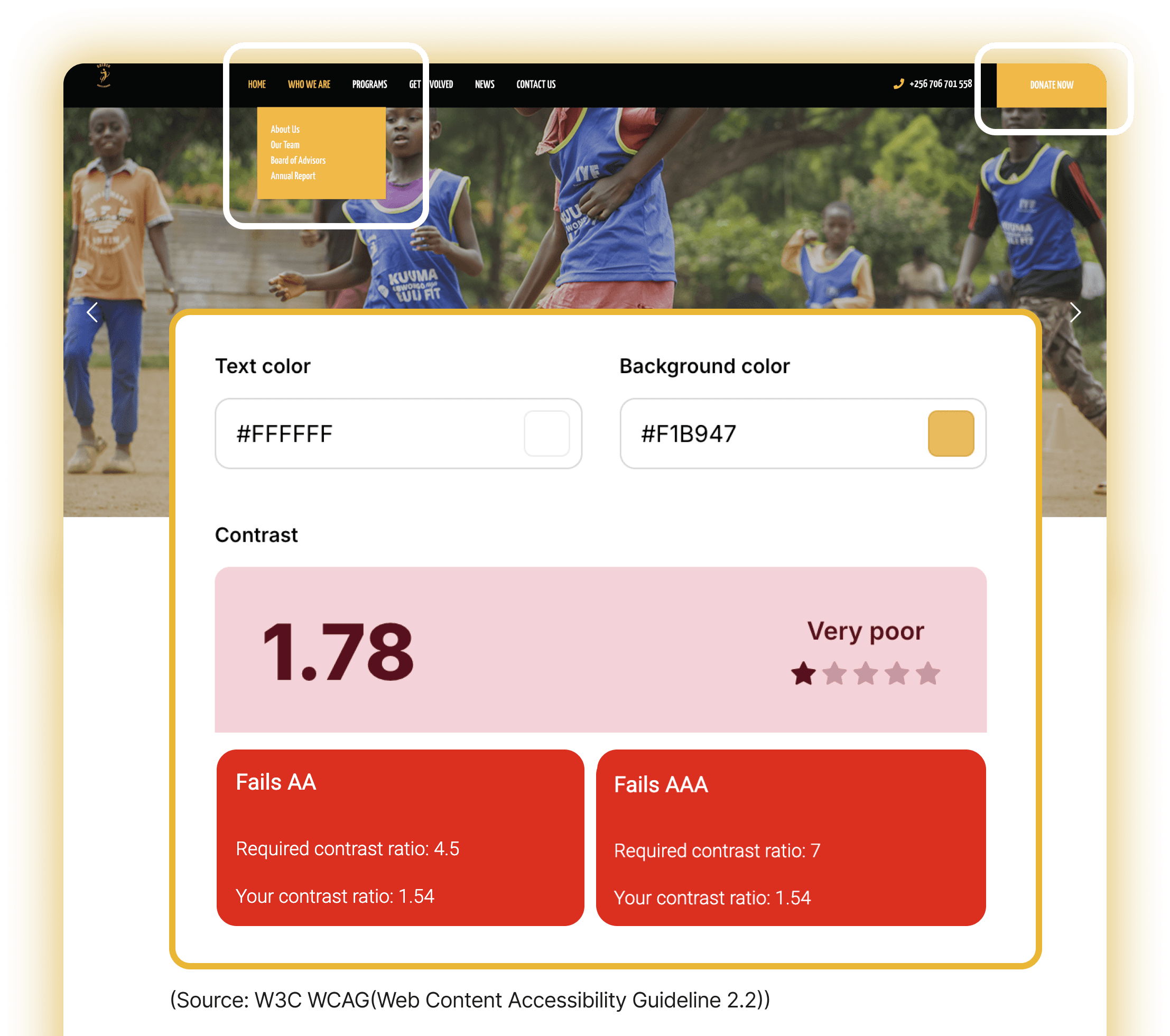
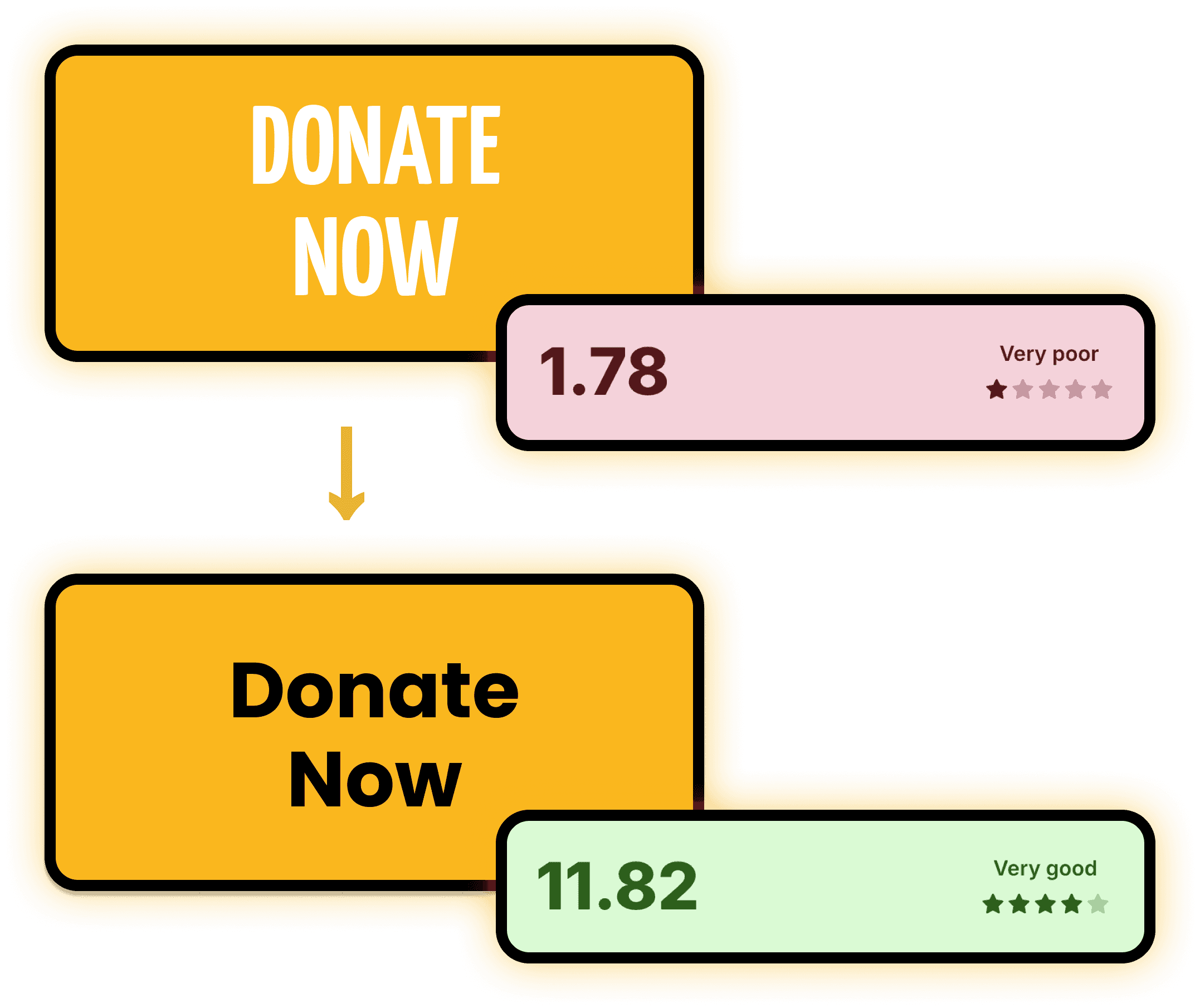
I improved contrast by replacing white text on yellow backgrounds with black or dark grey text to meet accessibility requirements.
Conclusion
Reflection & Future Steps
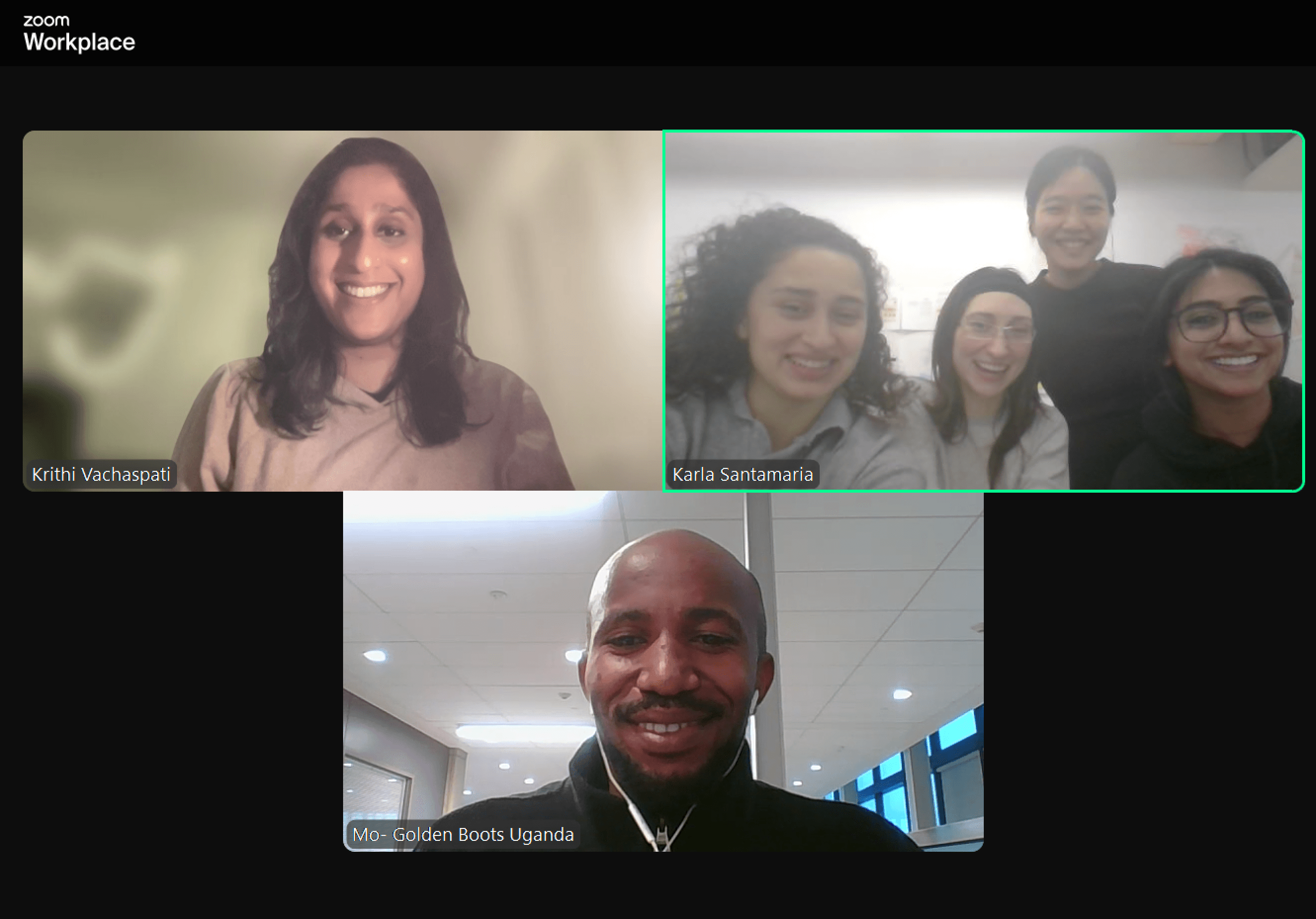
The recommendations were well received by the GBU team and aligned closely with their vision of creating a more intuitive, engaging, and trustworthy online experience. By streamlining the donation process, clarifying program content, and humanizing the impact through stories and visuals, the redesigned experience supports both donor confidence and community connection.
With these thoughtful adjustments, Golden Boots is well positioned to grow support and amplify its mission through a more accessible and emotionally resonant website. Future steps would expand testing to include youth participants and iterate on responses.
Overall, this project emphasized the importance of aligning design decisions with emotions, behavioral data, and organizational goals.
Major Takeaways:
• Trust must be designed, not assumed
• Clarity drives action
• Emotional connection is foundational in nonprofit sectors